Table of Contents
Overview & Mission
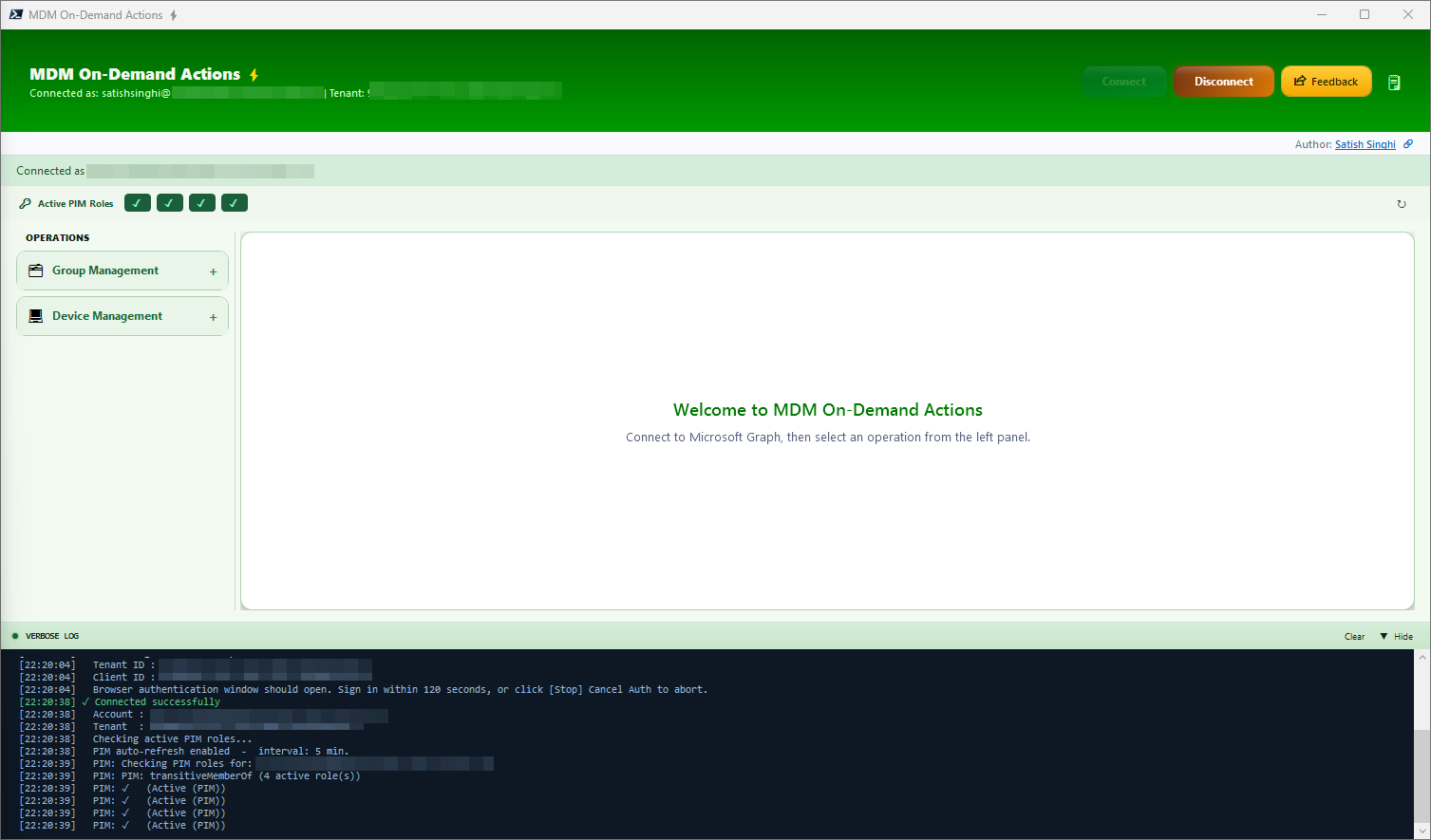
MDM-ODA is a PowerShell & WPF based plug-n-play tool for Entra & Intune on-demand operations. Built with attention to detail for the granular challenges faced by support teams, enabling project teams to get reliable, meaningful, up-to-date insights and reports on the go. Built with safeguards to prevent accidental actions, keeping Zero Trust and least privilege as top priority.
Project Mission
- To maximize operational efficiency
- To automate variety of On-Demand actions that need to be performed on the go
- To deliver a thoughtful, well-crafted experience that IT professionals genuinely enjoy using
- To bring together data from different portals/pages using a single page — no browser tab madness
- To surface actionable insights directly — no Excel exports, no manual pivot tables, just immediate clarity for faster triage
- To automate bulk actions on-demand that are natively not possible
- To reduce human errors using validation workflows
- To save hours of efforts and endless fatigue caused by repetitive tasks
- No manual setup needed, no admin rights needed — just plug and play
- To make Click-Ops great again
Highlights
Lightweight & Powerful
Enterprise-grade functionality with polished visuals, built entirely on native Windows components — PowerShell 7 and WPF. Zero third-party dependencies, zero licensing. All data is live from Microsoft Graph — no Power BI refresh cycles, no stale dashboards.
Security & Guardrails
Delegated auth flow for least privilege — use your Tenant & Client ID. Validation & preview before each write action. Live verbose logging for transparency. No admin rights required.
Productivity
Complex on-demand actions with minimum effort. In-page live table output with flexibility to select cells, copy individual cell/row/all, or export to XLSX.
Features — Group Management
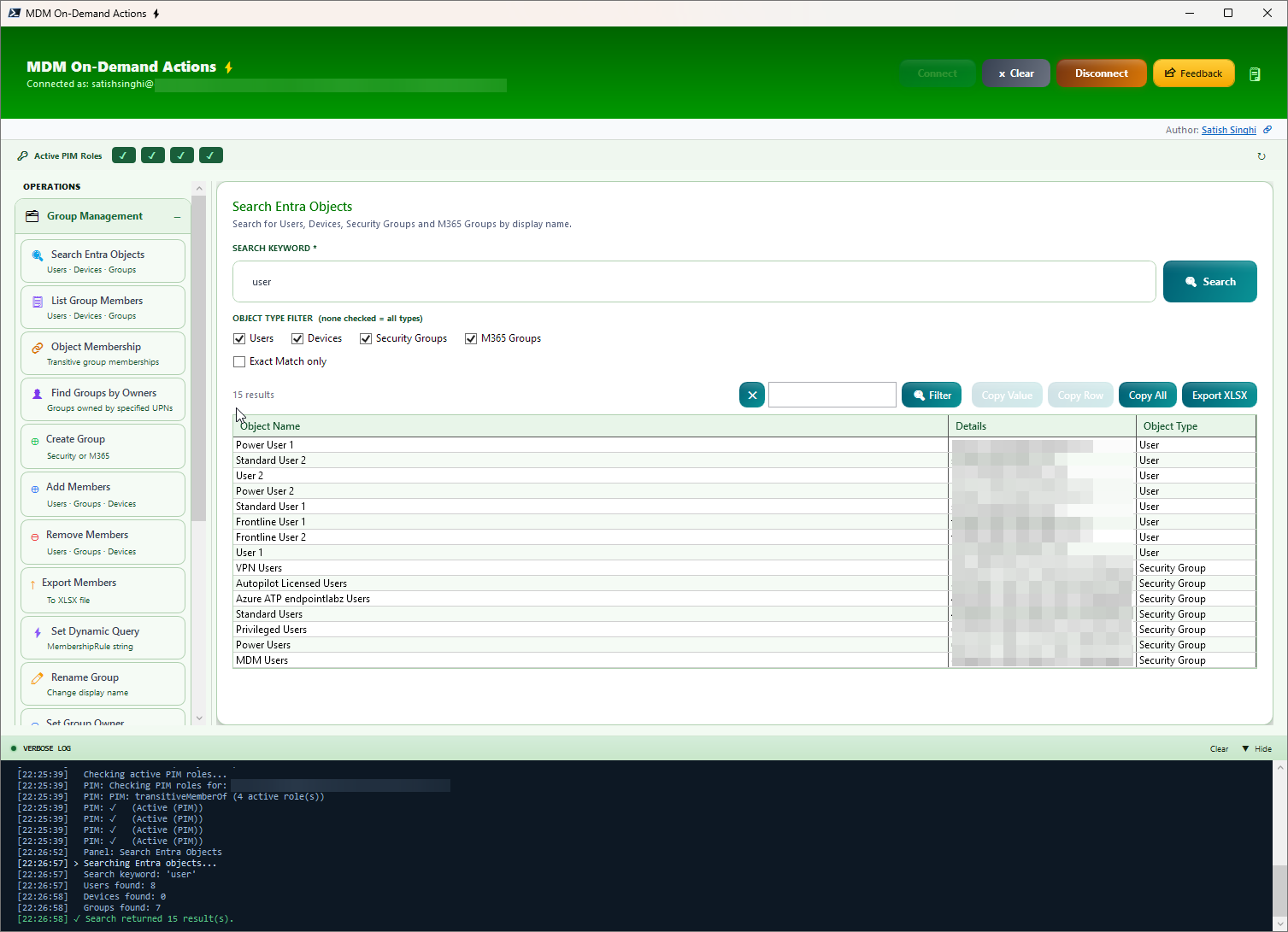
Search Entra Objects
Search across multiple Entra object types from a single page. Accepts bulk input — UPN, Device Name, Device ID, Group Name, or Group ID — one per line. Supports multiple search terms simultaneously with results deduplicated across all types. Filter by Users, Devices, Security Groups, and M365 Groups. Optionally resolve managers for User objects.
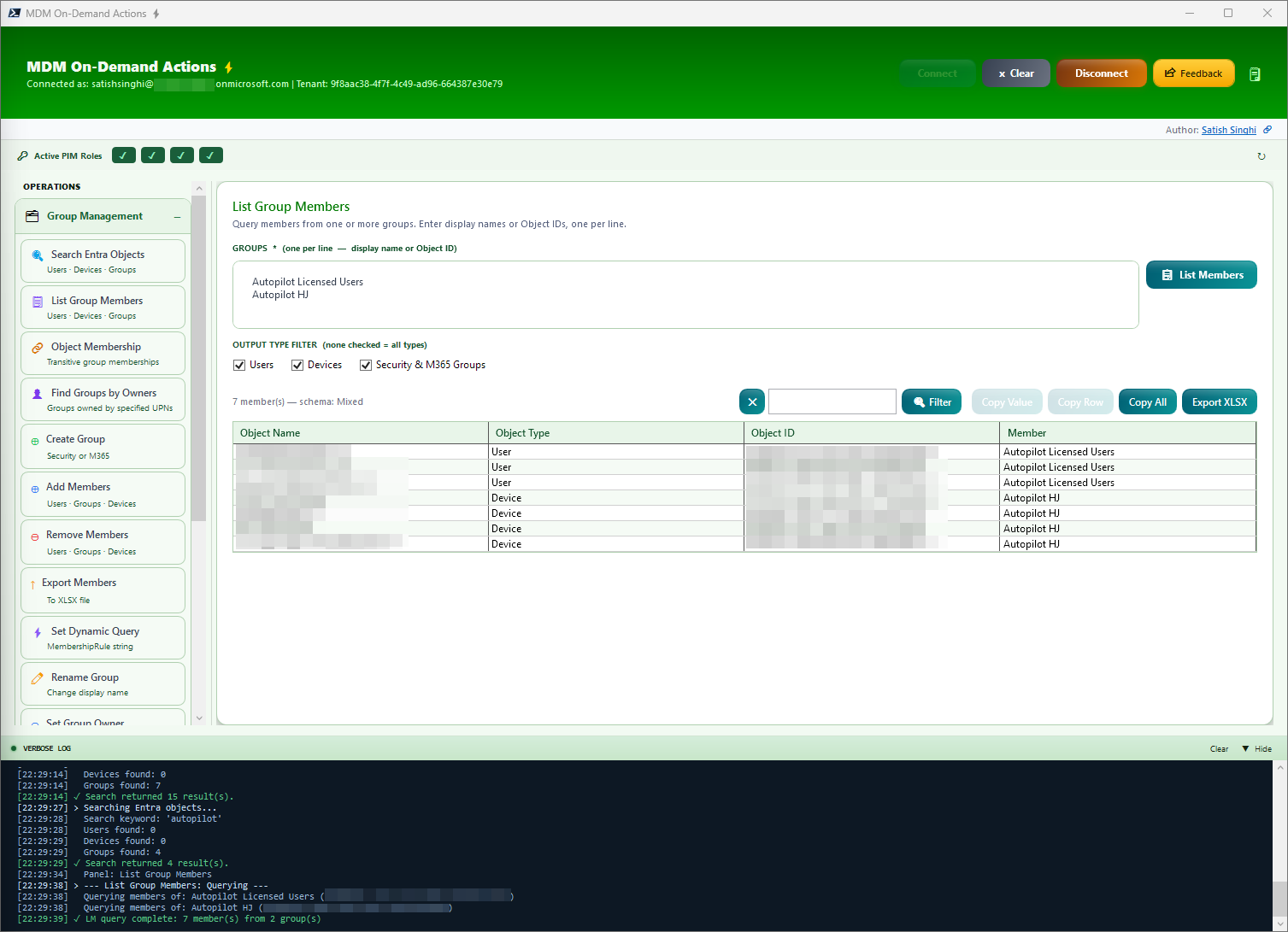
List Group Members
List members from multiple groups with a single click. View Object Name/UPN, Object Type, Object ID and source group.
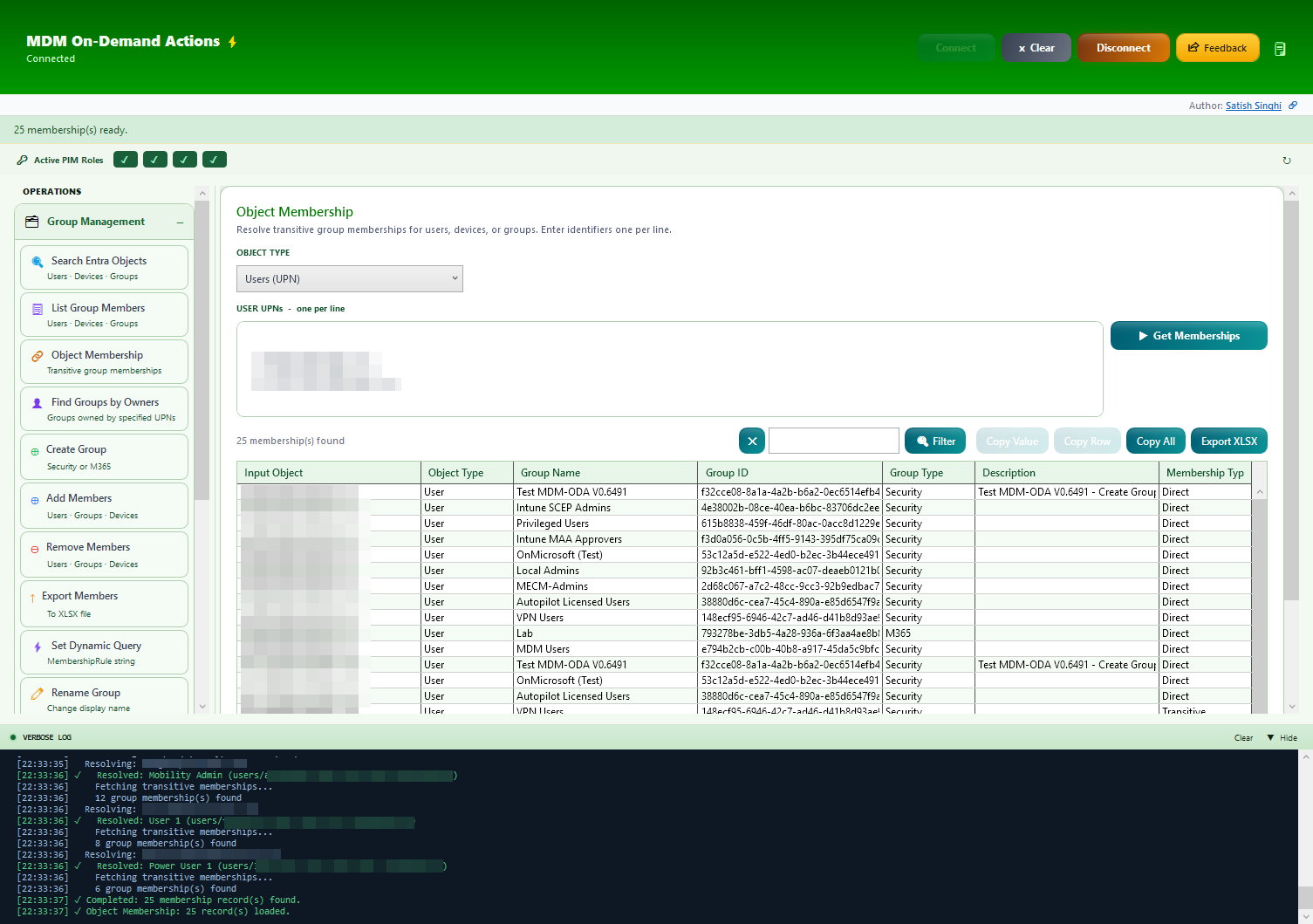
Object Membership
Find group membership for bulk items (Users/Devices/Groups).
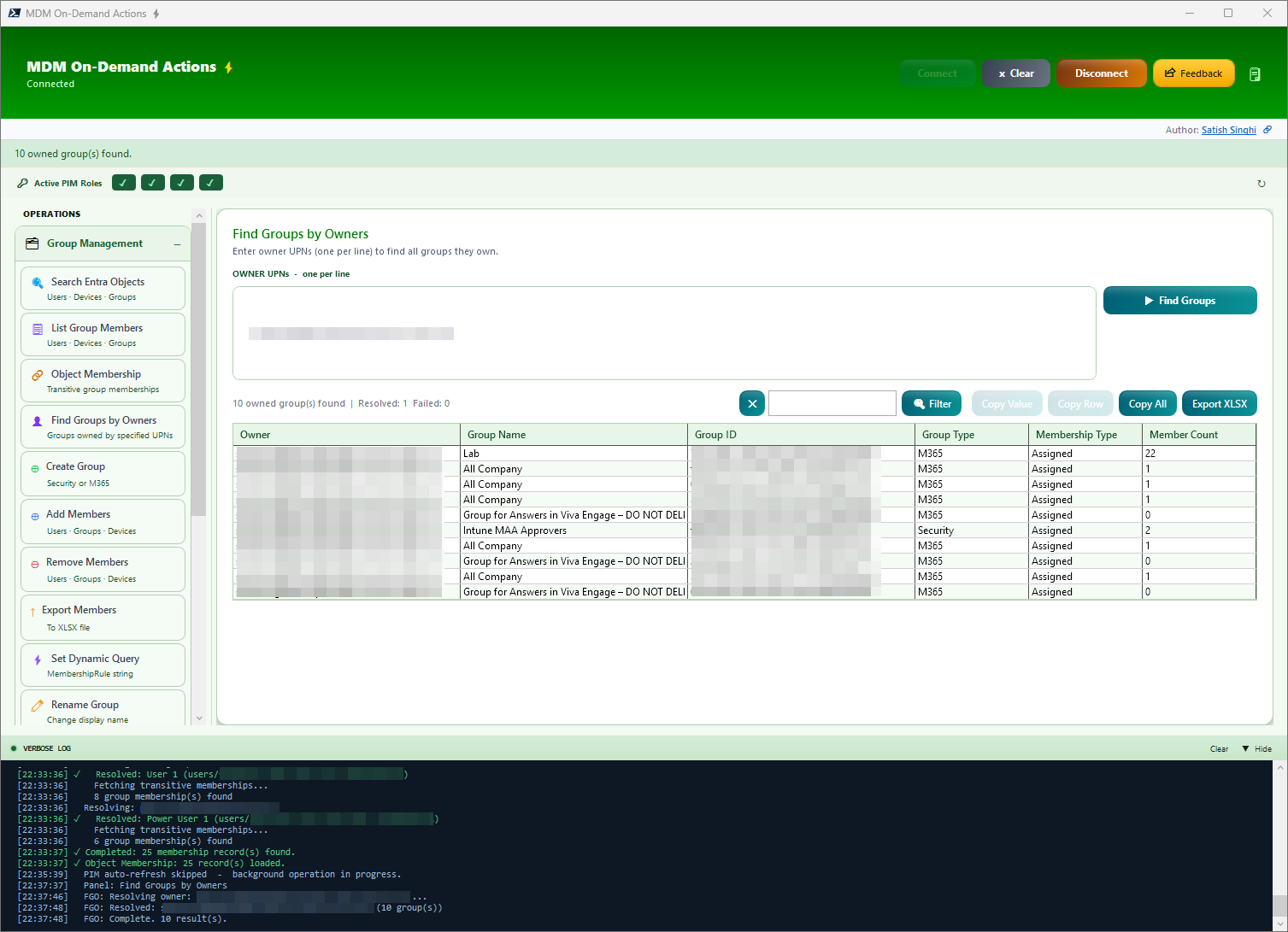
Find Groups by Owners
Enter UPNs to find all groups they own with Group Type, Membership Type, and Member Count. Leave the input empty to discover all groups without an owner — a powerful audit tool for identifying orphaned groups in your tenant.
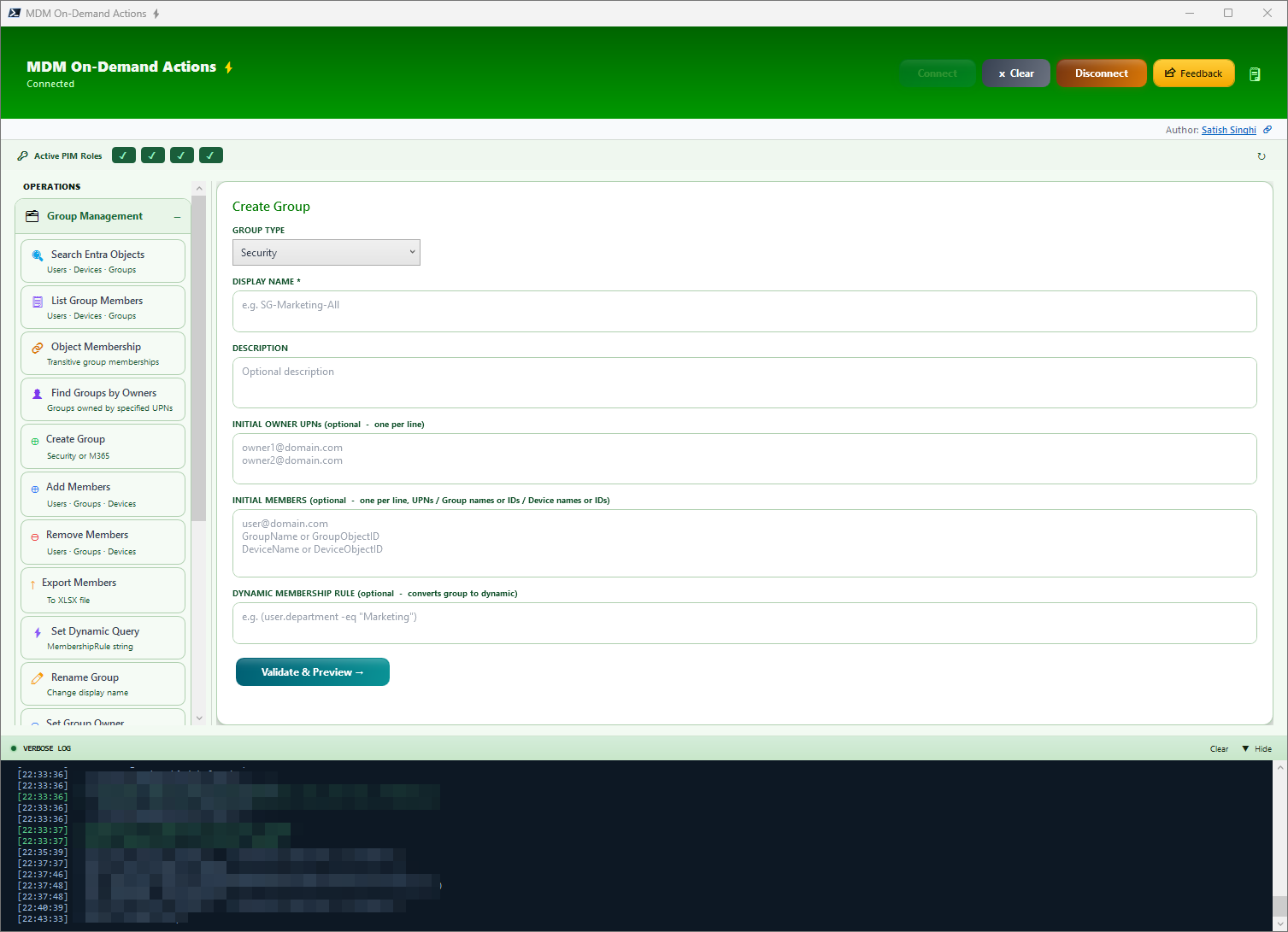
Create Group
Create Security/M365 Group while assigning bulk owners and adding bulk members (UPN, Device Name/ID, Group Name/ID) or set a dynamic query — all from a single page. No CSV, no browser navigation.
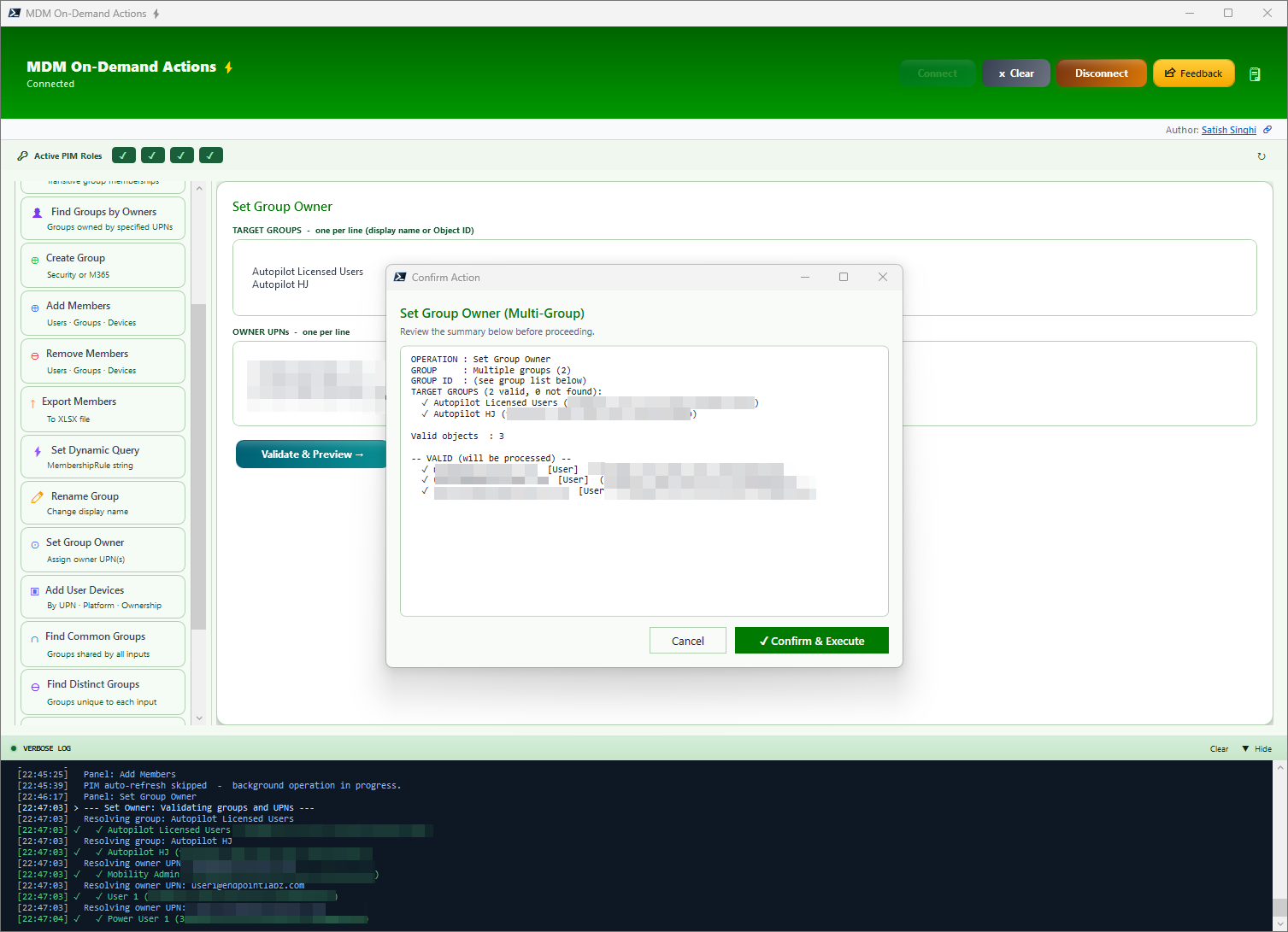
Set Bulk Owners on Bulk Groups
Many-to-many owner assignment. Un-owned groups haunt every organization — groups without owners or with outdated ownership cause confusion about use, purpose and accountability.
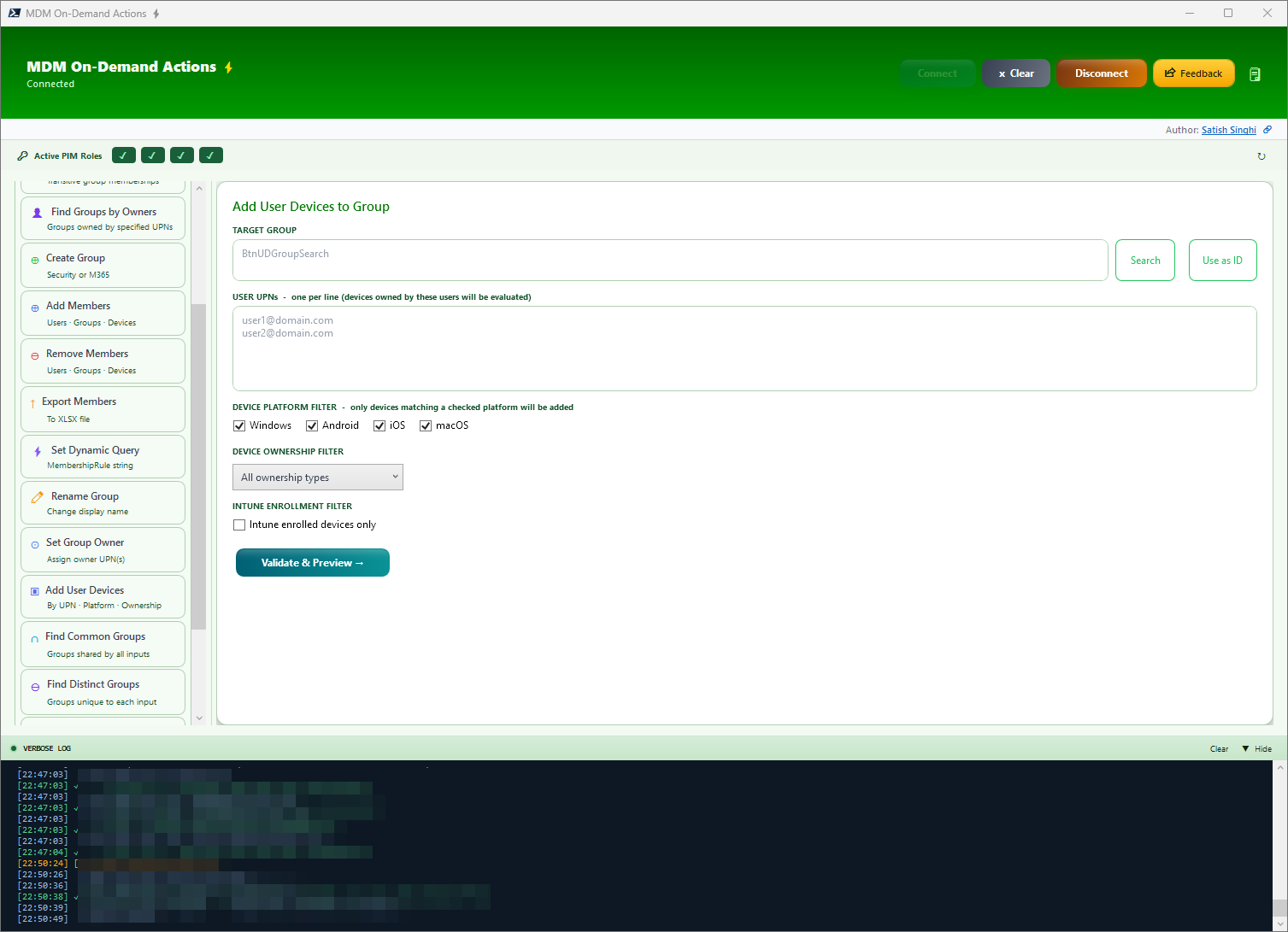
Add User Devices to Groups
Game changer. Bulk add user devices to groups with filters for Platform, Ownership and Intune enrollment state. What was once a nightmare is now a cakewalk.
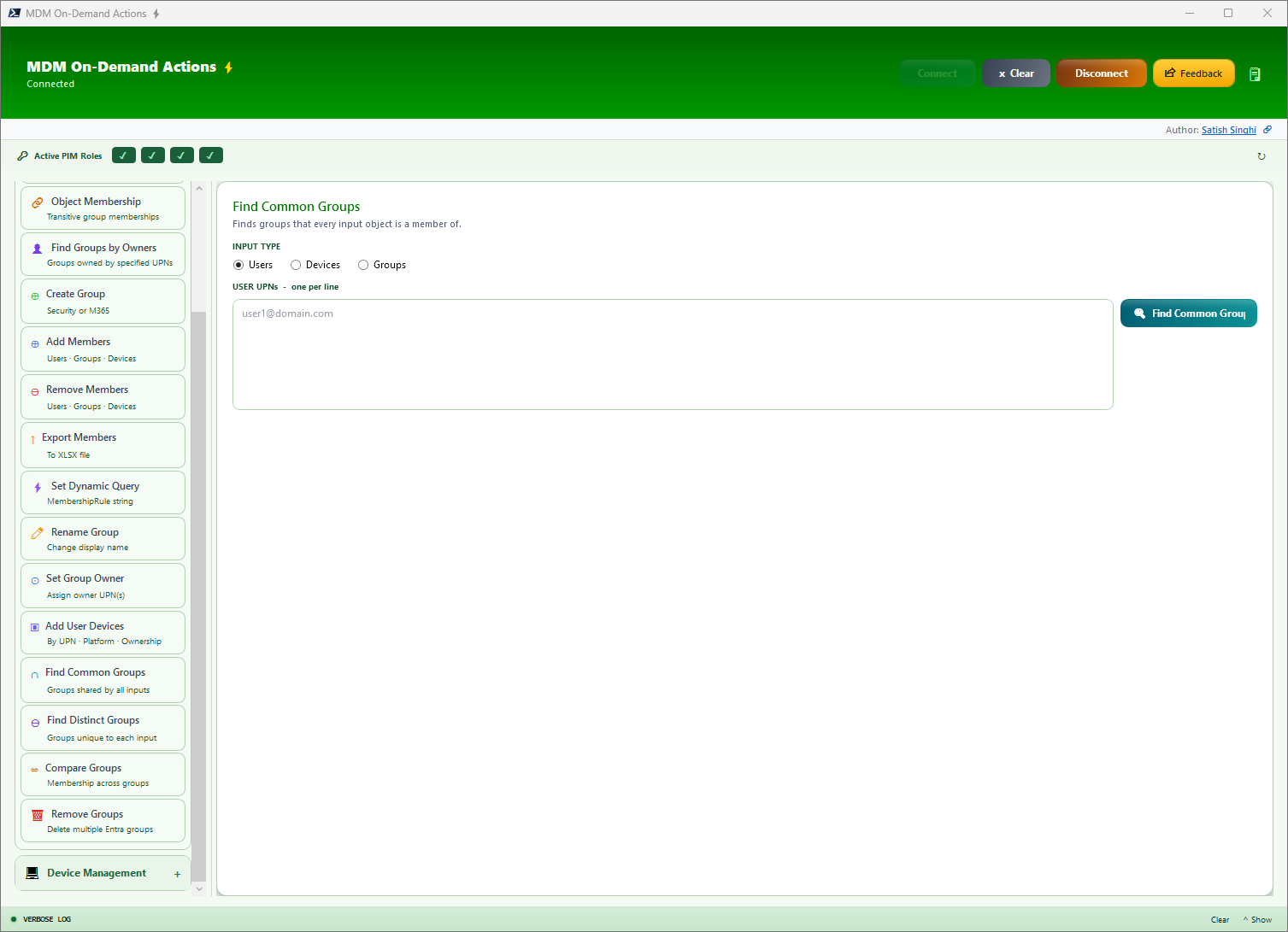
Find Common/Distinct Groups
Compare multiple objects to find commonalities or distinction in group membership. No more CSV exports and VLOOKUPs.
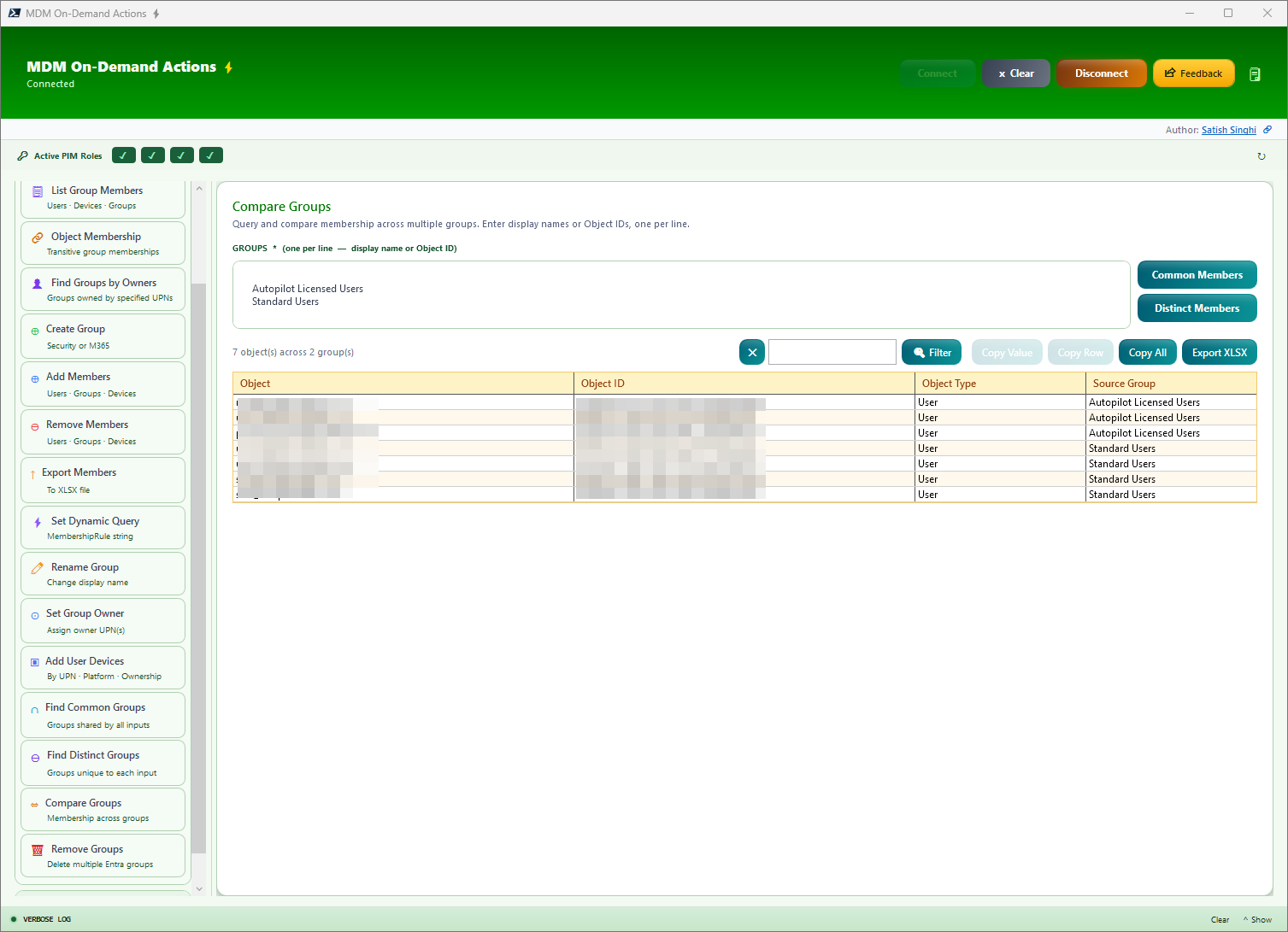
Compare Groups
Compare members of multiple groups and identify Common or Distinct members between them.
Additional Group Management Features
Beyond the primary operations above, MDM-ODA also supports Remove Groups, Rename Groups, Set Dynamic Query on Existing Groups, and Export Members. These operations follow the same validation-before-write paradigm and integrate seamlessly with the broader group management workflow. Additionally, Bulk Group Removal enables safe deletion of multiple groups with preview and confirmation steps, making organizational cleanup a structured and auditable process.
Features — Device Management
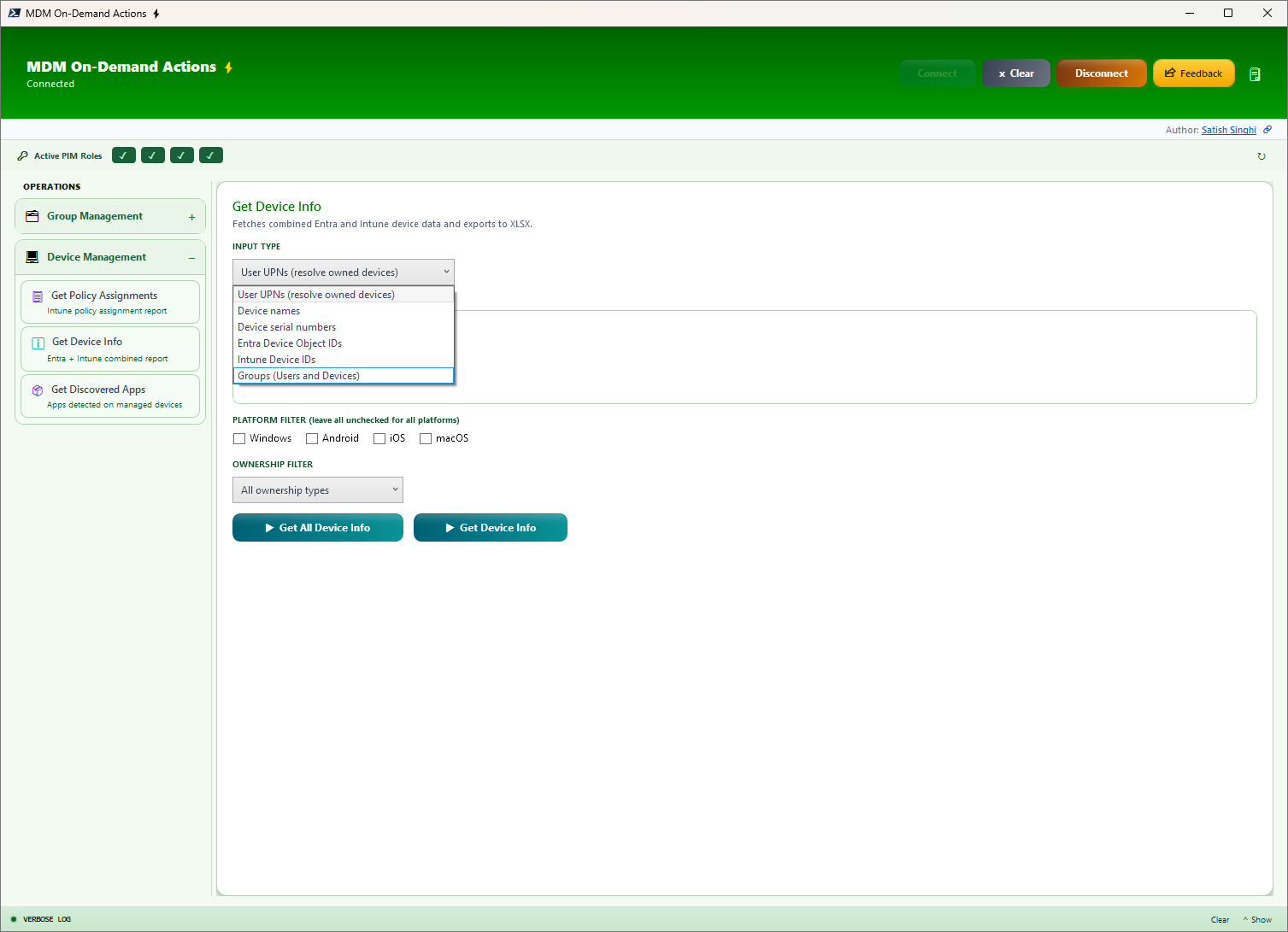
Device Info
Comprehensive User & Device info from Entra & Intune based on UPNs, Serial Numbers, Object IDs and even User/Device Groups (recursive object detection). Uses filters for Platform & Ownership. Shows 30+ fields including Entra/Intune device details, OS info, ownership, activity ranges, Autopilot status, and user info.
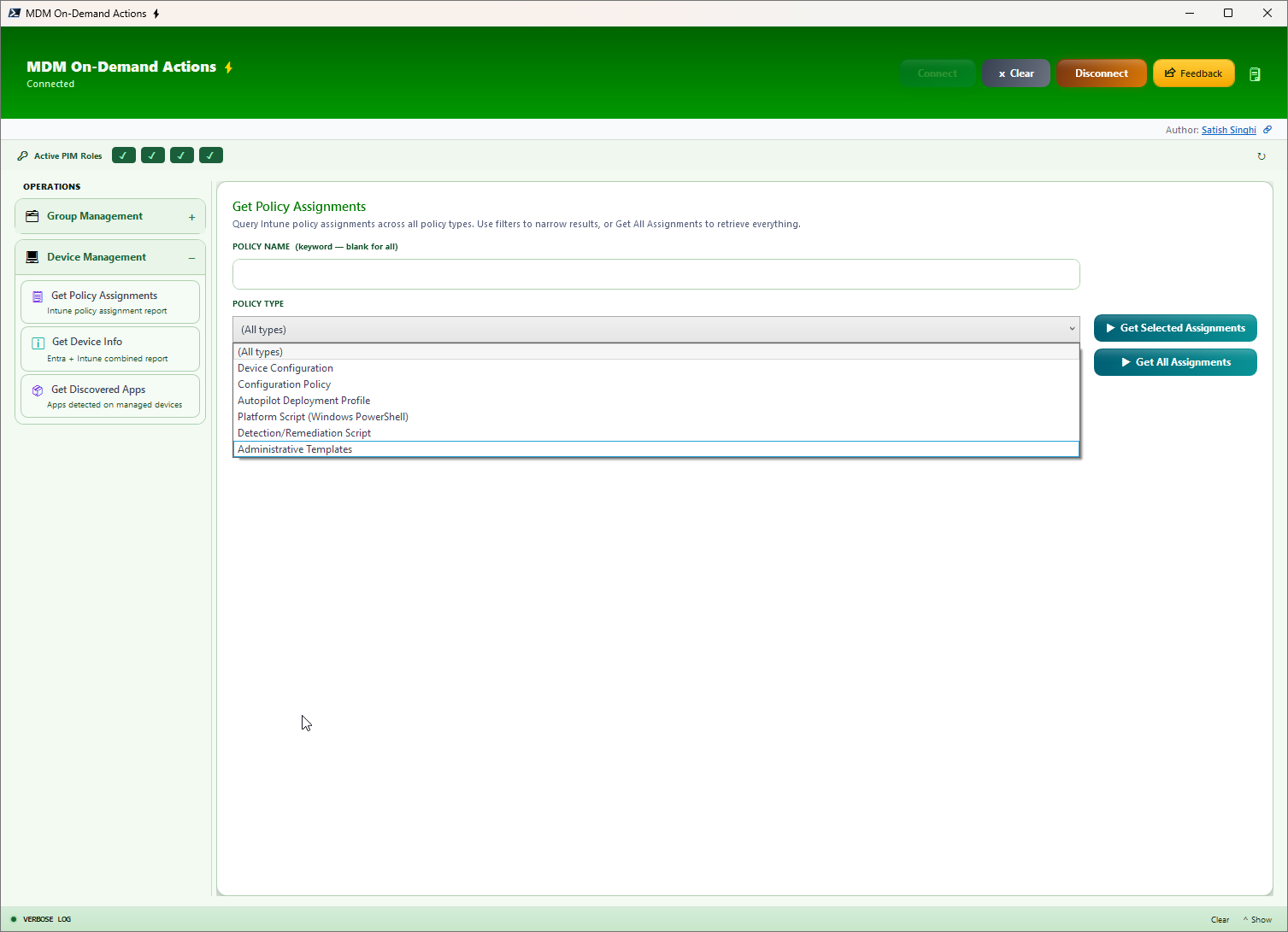
Get Policy Info (formerly Intune Policy Assignments)
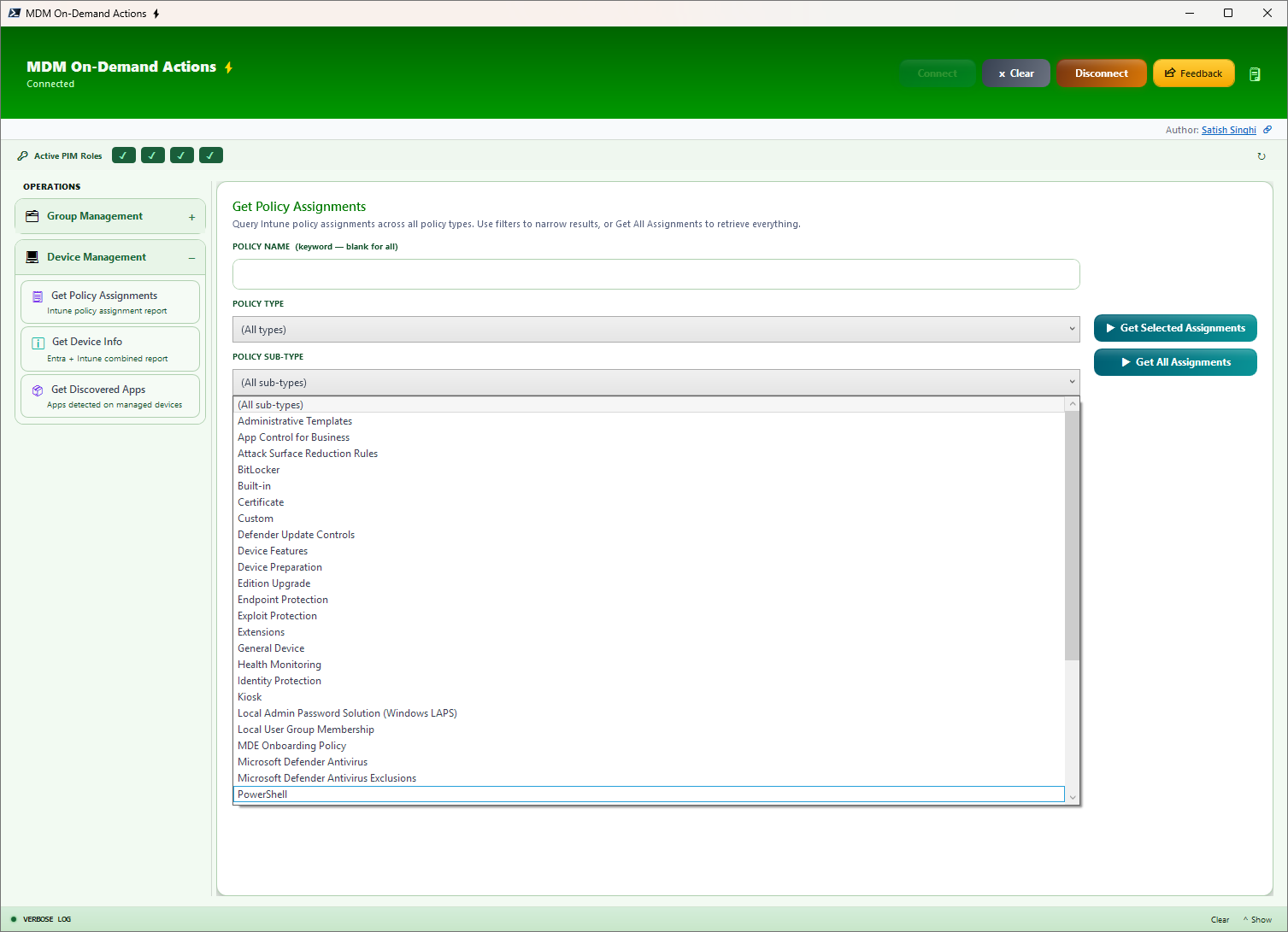
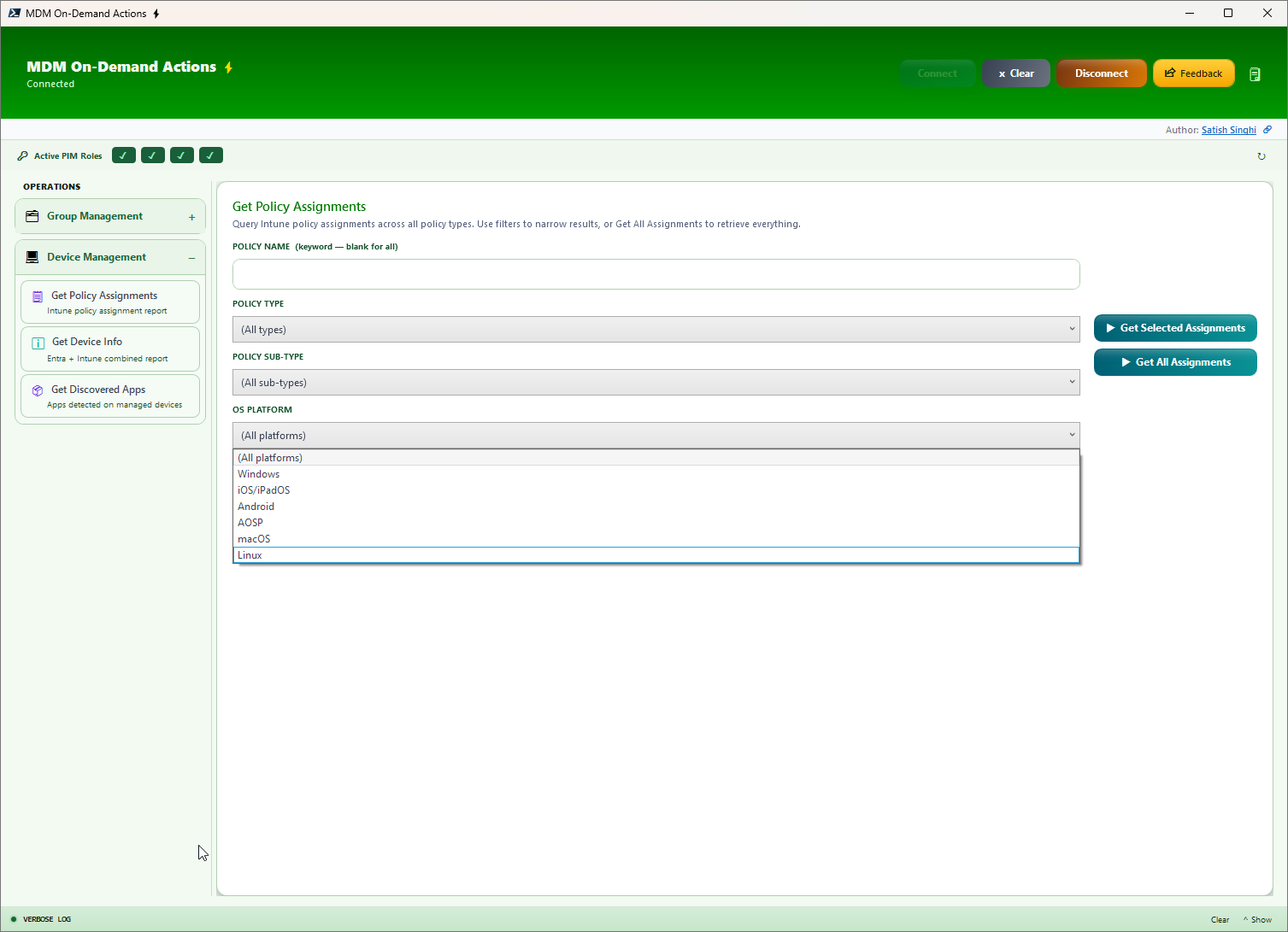
Runtime or project decisions, get instant insights about Intune policies, Assignment Groups, Assignment Filters and associated Filter Types. Generate output filtered by keywords, Policy Type, Sub-Type, and OS platform. Now includes Compliance Policy assignments, classic Autopilot Profile reports, Autopilot Device Preparation assignment reports, and ESP assignment reports with priority visibility.
Get App Info
A major enhancement for application visibility. Get instant app insights to know what apps were (or were not) deployed via Intune. Query Discovered Apps, Managed Apps, or both simultaneously across your fleet.
- Discovered & Managed Apps — See what is actually installed on devices versus what Intune deployed
- Managed App Assignments — Full assignment details including groups, filters, and filter modes
- Flexible Filtering — Filter by Platform, Ownership, and App Keywords
- Multiple Input Types — Input Devices, Users (devices resolved based on filters), or Groups (resolves nested groups for Users/Devices)
Missing BitLocker Keys NEW in V0.8
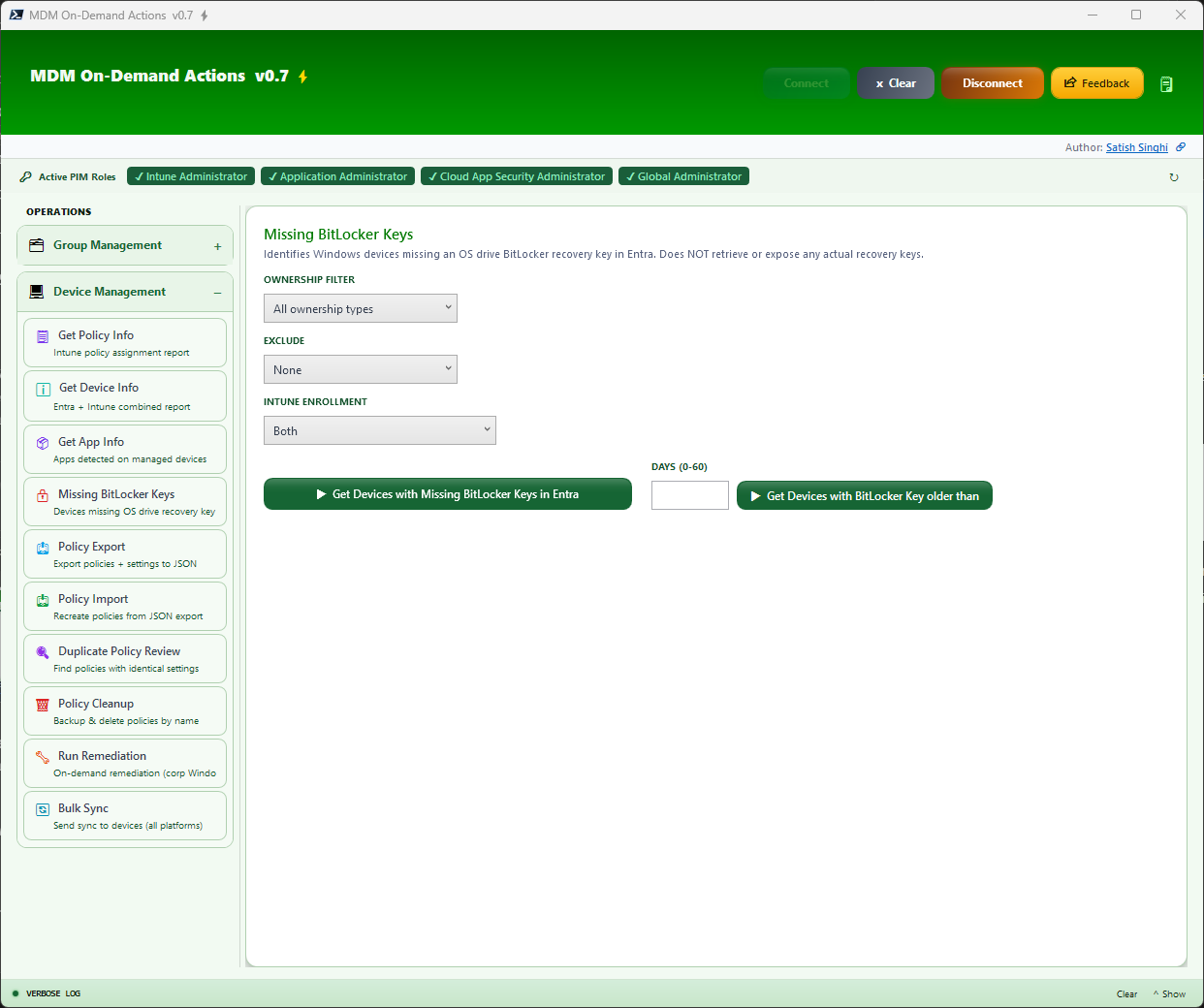
A critical escrow-compliance audit: identifies Windows devices that have no OS drive BitLocker recovery key backed up to Entra ID. A second mode reports devices whose newest recovery key is older than N days (0–60) — useful for validating key rotation. Filter by Ownership, Intune enrollment state, and exclusions. Output carries the same rich 30+ column user/device detail as Get Device Info, so every flagged device comes with full context for follow-up. The tool only reads key metadata — it never retrieves or exposes actual recovery keys.
Policy Export NEW in V0.8
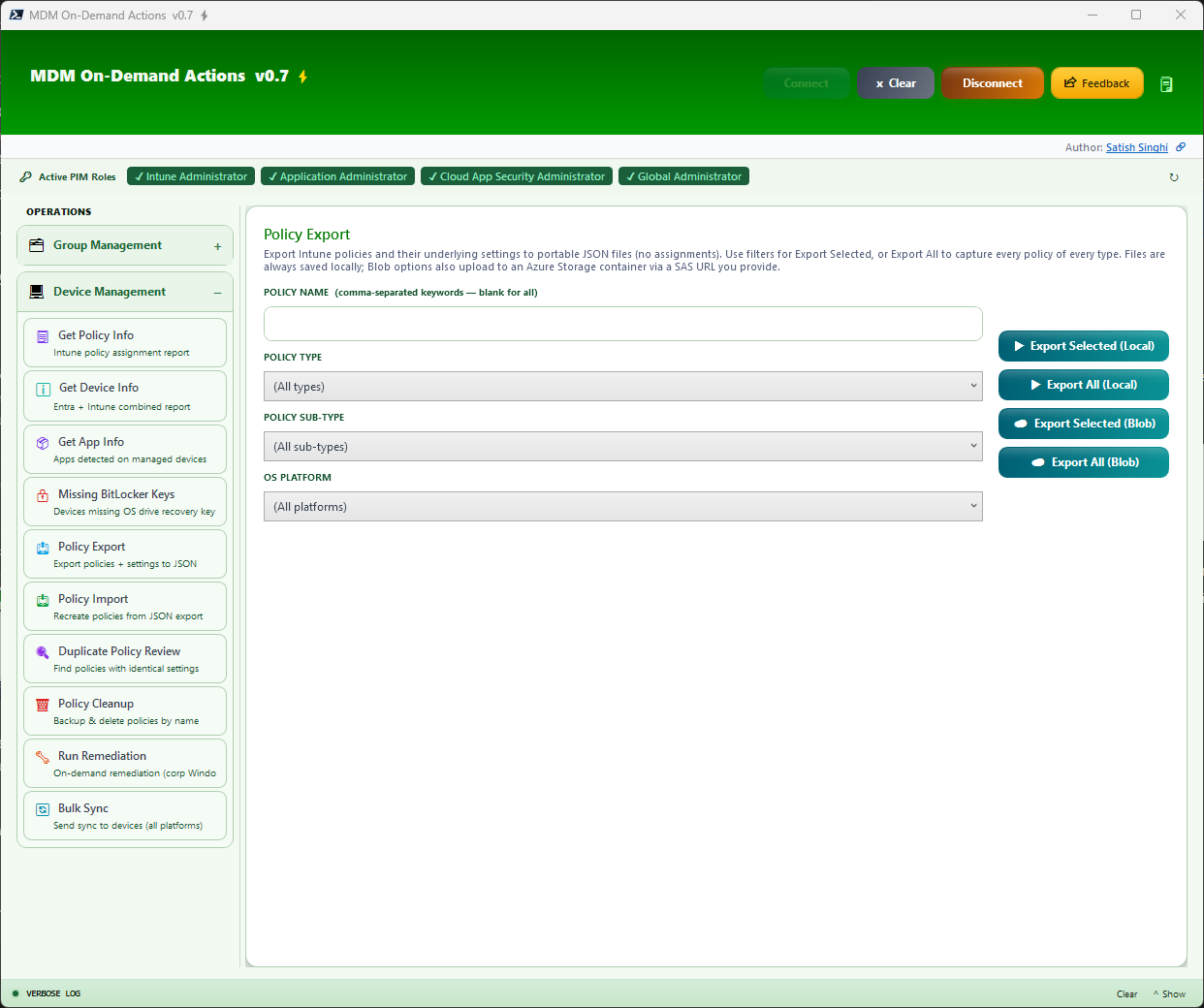
Export Intune policies with their full underlying settings (no assignments) to portable JSON files. Covers seven policy families: Device Configurations, Settings Catalog & Endpoint Security (including Firewall), Administrative Templates (including bundling of custom/ingested ADMX+ADML definition files), PowerShell Scripts, Detection/Remediation Scripts, classic Autopilot Deployment Profiles, and Enrollment Status Pages. Use filters (comma-separated keywords, Type, Sub-Type, OS Platform) with Export Selected, or capture the whole tenant with Export All. Files are always saved locally; the Blob options additionally upload to an Azure Storage container via a SAS URL you provide.
Policy Import NEW in V0.8
Recreate policies from JSON export files (local folder or Azure Blob) into the signed-in tenant — ideal for tenant-to-tenant migration, lab seeding, and configuration backup/restore. Every import previews the planned changes first, then creates each policy as a new object with an "(Imported)" suffix — existing policies are never modified and assignments are never imported. Content-based duplicate detection flags policies already present in the target (compared by settings content, not name) and offers Proceed / Skip Duplicates. Cross-tenant dependencies (reusable settings groups, custom ADMX definitions) are detected and reported with actionable skip reasons, and custom ADMX administrative templates are automatically ingested and remapped in the target tenant.
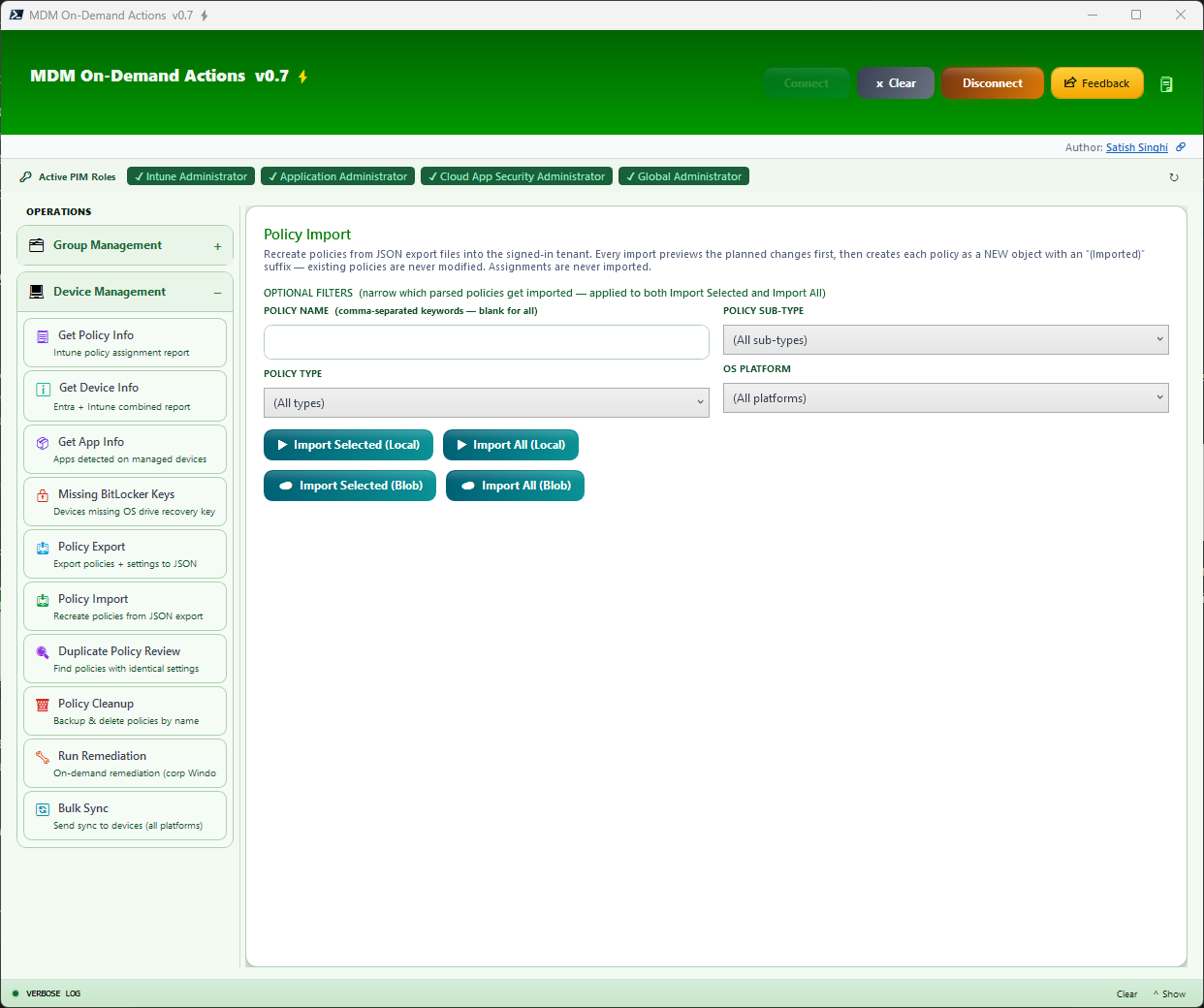
Duplicate Policy Review NEW in V0.8
Policy sprawl is real. This operation scans all policy types and groups policies whose underlying settings are identical — compared by content, not by name — so renamed copies and drifted clones can't hide. Results show Policy Name, Platform, Policy Type, Last Modified, and Assignment Groups, giving you everything needed to consolidate redundant policies with confidence. Keyword and platform filters narrow the scan.
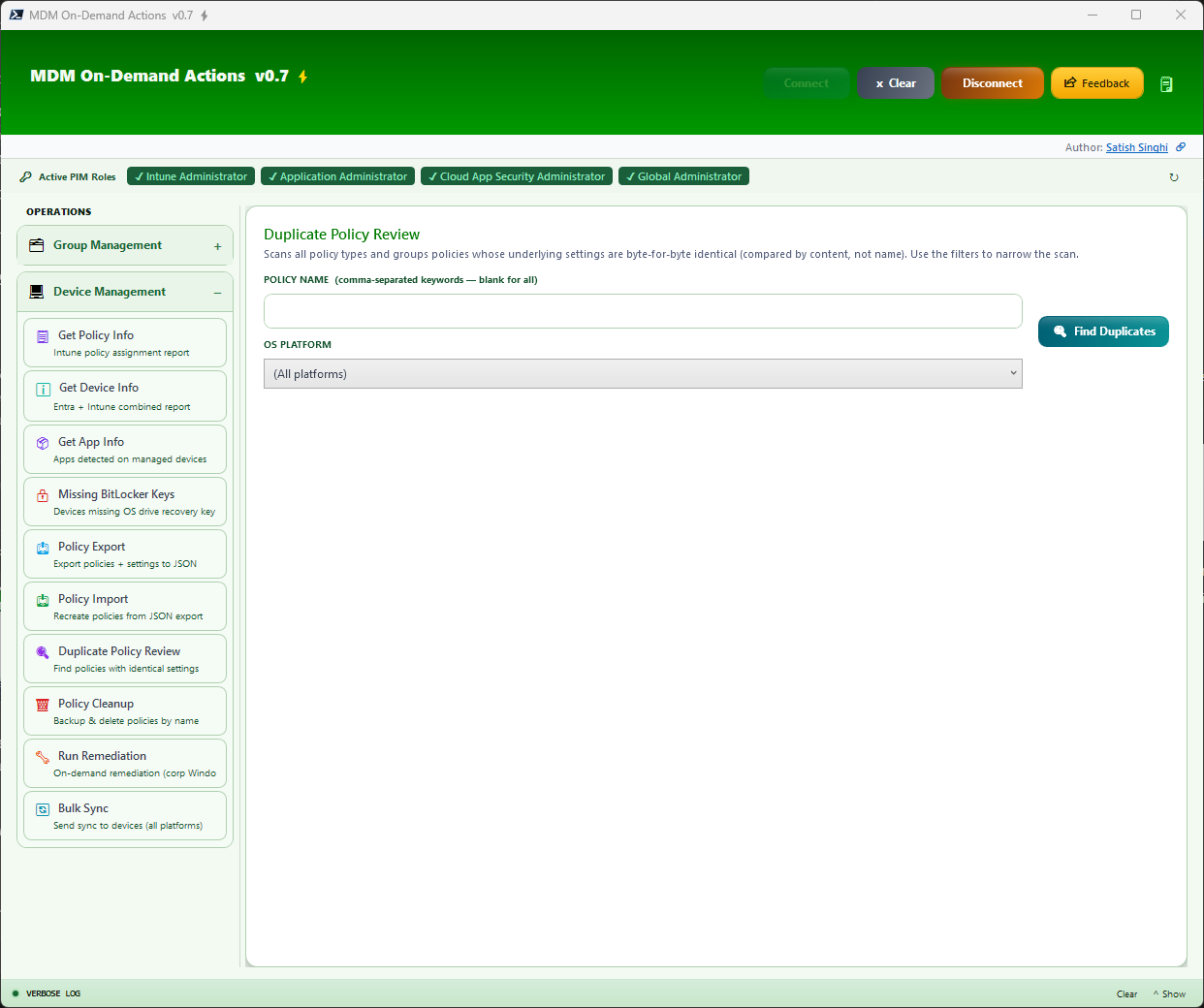
Policy Cleanup NEW in V0.8
Structured, auditable policy deletion. Paste policy names (one per line), resolve them against the tenant, then back up and permanently delete. A backup target (local folder or Azure Blob via SAS URL) is required — the backup JSON captures each policy's full settings plus its assignment groups and filters, so any deletion can be reversed via Policy Import. If any backup fails, nothing is deleted. The flow is strictly Resolve → Preview → Explicit Confirmation → Delete.
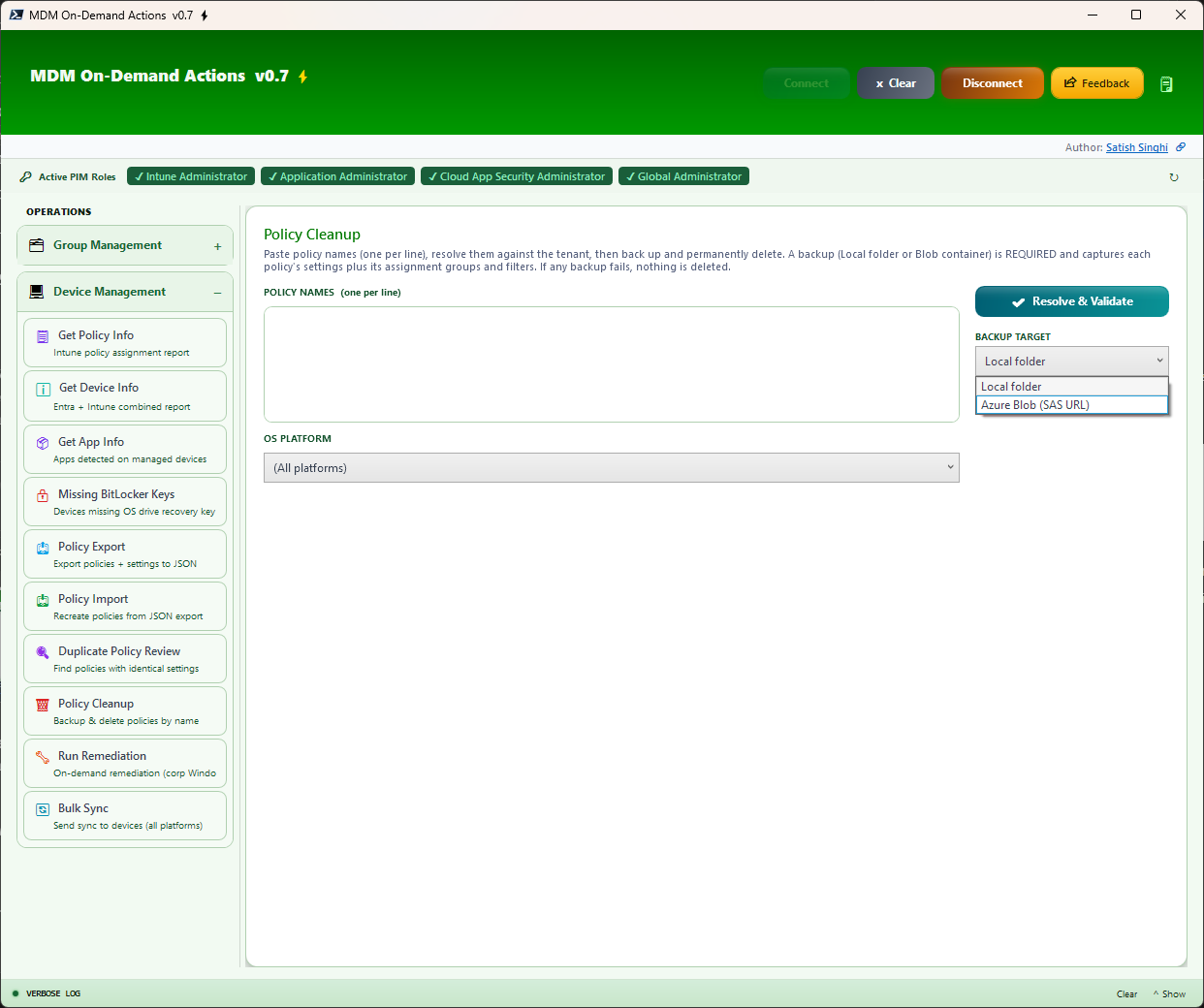
Run Remediation NEW in V0.8
Run a detection/remediation script on-demand against the devices you list — the same remote action as the Intune console's "Run remediation", but in bulk. Pick a script from the pre-loaded dropdown with type-ahead keyword filtering, then input UPNs, Device Names, Entra Device IDs, Intune Device IDs, Serial Numbers, or Groups (user inputs resolve to their devices). For safety this operation targets company-owned Windows devices only — personal or non-Windows devices are resolved but automatically skipped and disclosed in the confirmation summary. A full validation workflow shows the selected script and every resolved device with Proceed/Cancel before anything runs.
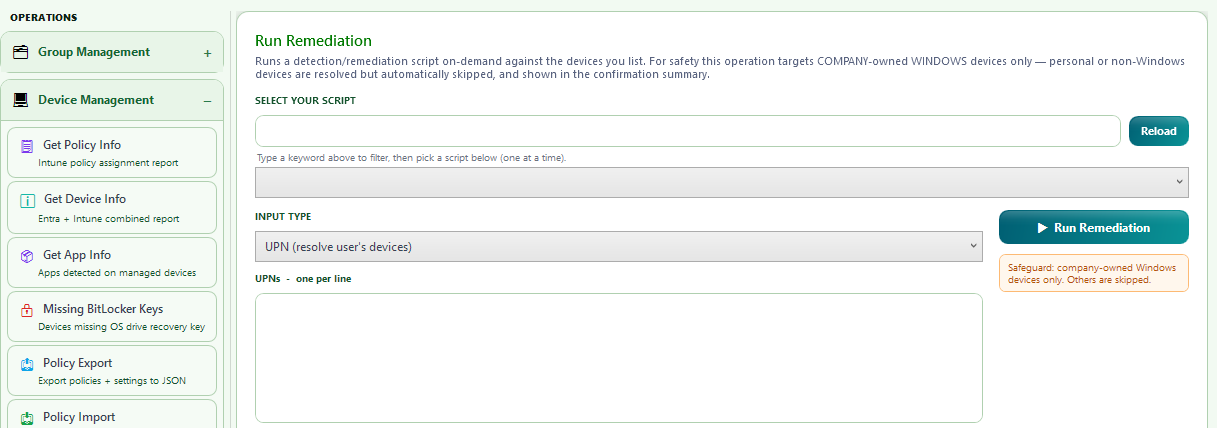
Bulk Sync NEW in V0.8
Trigger an Intune device sync across bulk devices — all platforms, corporate and personal, with an optional platform filter. Same flexible input types as Run Remediation and the same validation workflow before the sync fires.
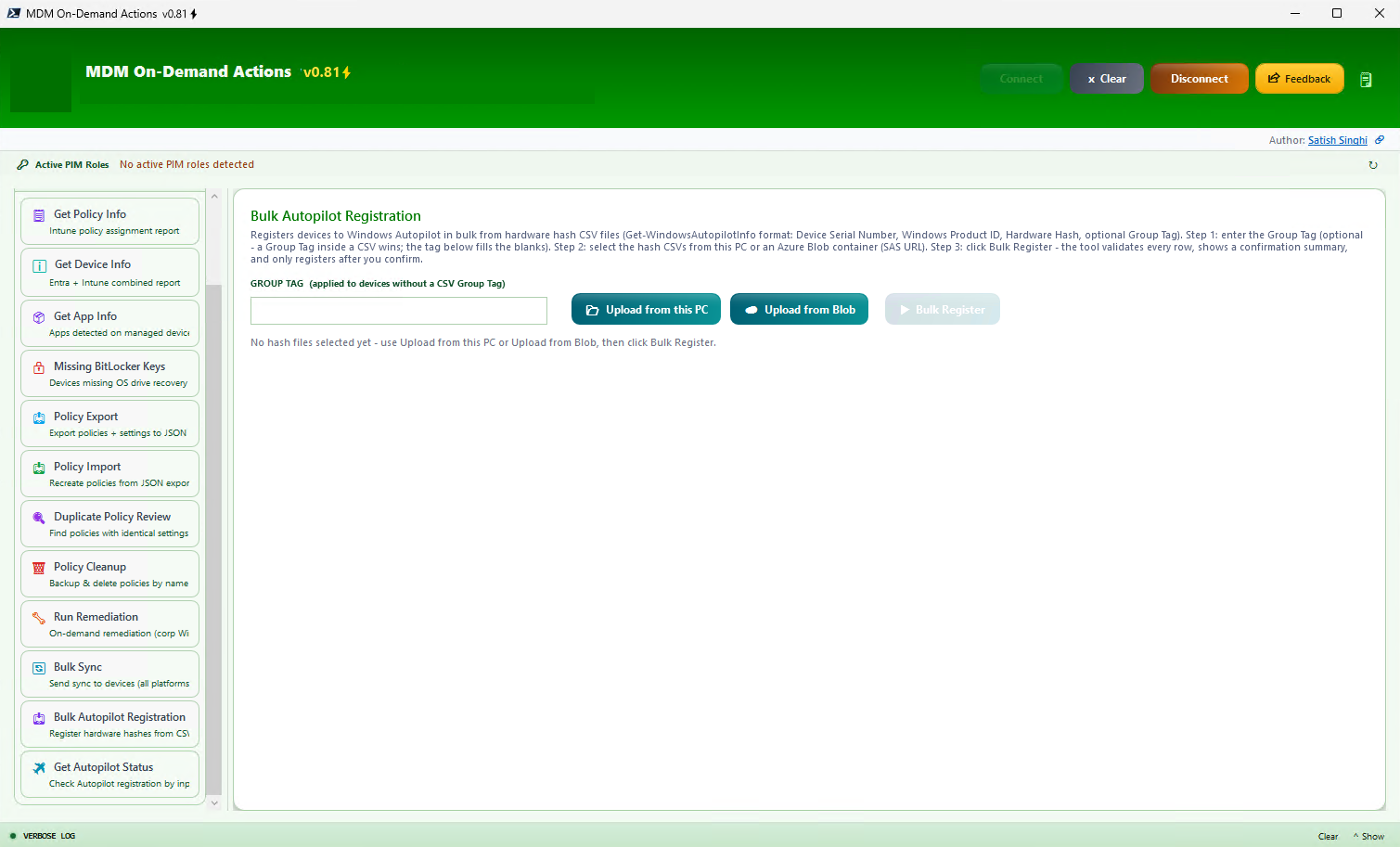
Bulk Autopilot Registration NEW in V0.81
Register devices to Windows Autopilot in bulk from hardware hash CSV files (Get-WindowsAutopilotInfo format: Device Serial Number, Windows Product ID, Hardware Hash, optional Group Tag). Select CSVs from this PC (multi-select) or from an Azure Blob container via a SAS URL. A Group Tag inside a CSV wins; the typed Group Tag fills the blanks. The workflow is staged and safe: select the source, click Bulk Register, review the validation summary — blank serials, invalid hashes and duplicate serials are flagged and skipped — then explicitly confirm. Each device posts with real HTTP status reporting, and a single Autopilot sync is triggered after the batch. Import-only: existing Autopilot registrations are never modified.
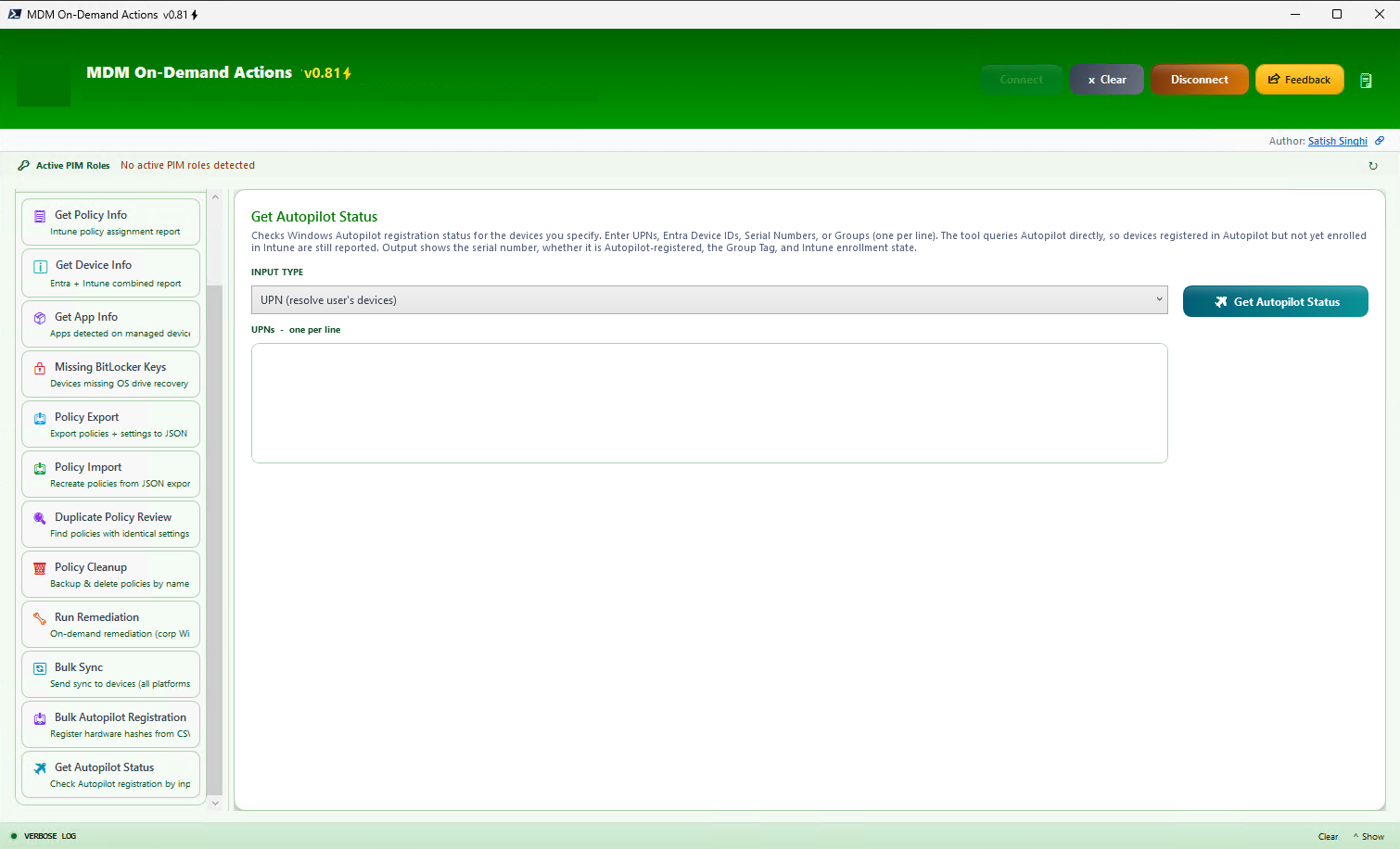
Get Autopilot Status NEW in V0.81
Check Windows Autopilot registration status for the devices you specify — UPNs, Entra Device IDs, Serial Numbers, or Groups (one per line). The tool queries Autopilot directly, so devices registered in Autopilot but not yet enrolled in Intune are still reported. Output shows Input, Serial Number, Device Name, Autopilot Registered (Yes/No), Group Tag, and Intune Enrolled (Yes/No) — the enrollment state is verified independently against Intune, so registered-but-not-enrolled and enrolled-but-not-registered devices are both surfaced. Full table toolbar with keyword filter, copy and XLSX export.
Productivity Features
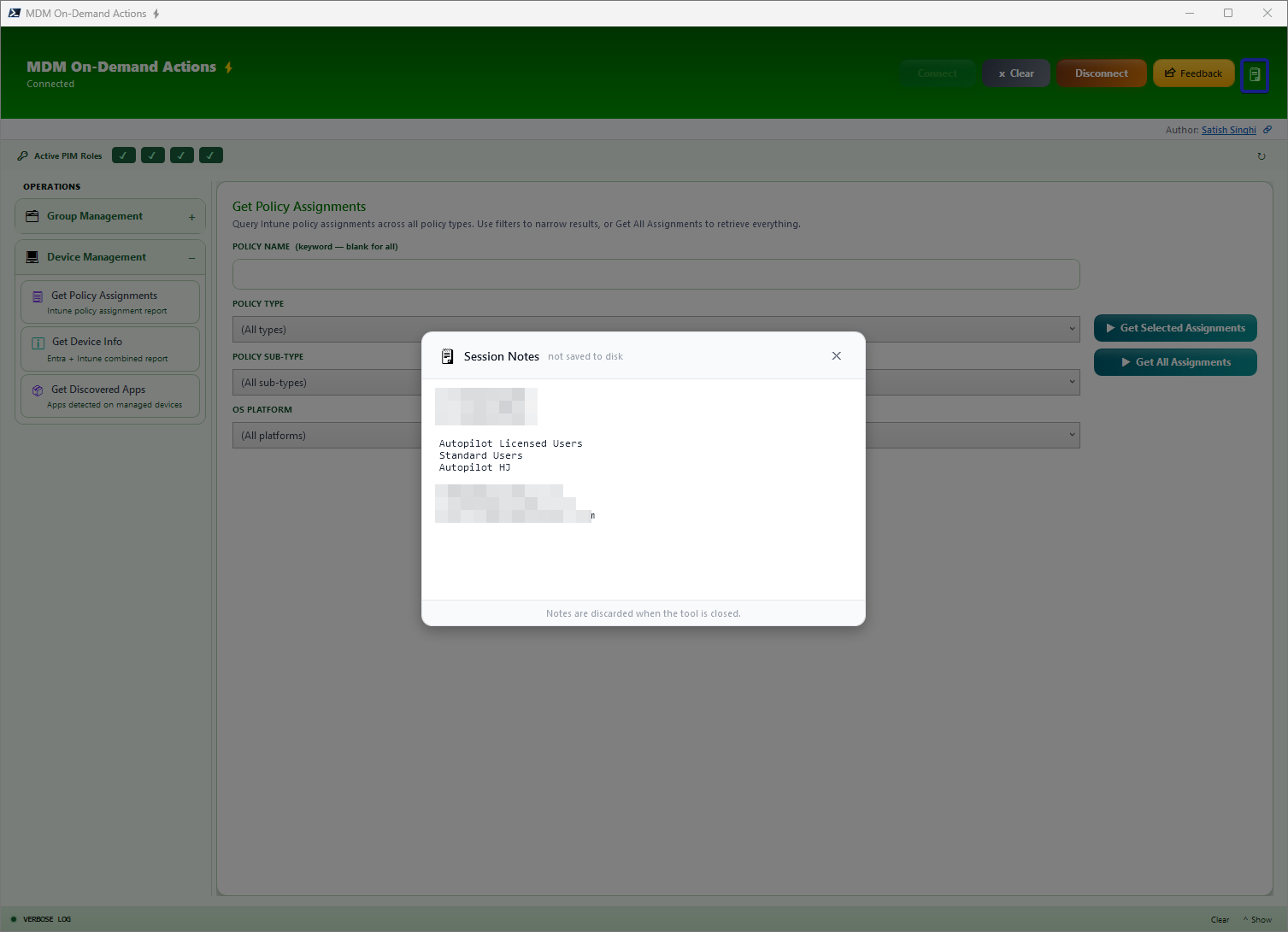
Session Notes
Built-in lightweight floating notepad, easy to bring up or minimize. Holds notes during the session, no disk storage.
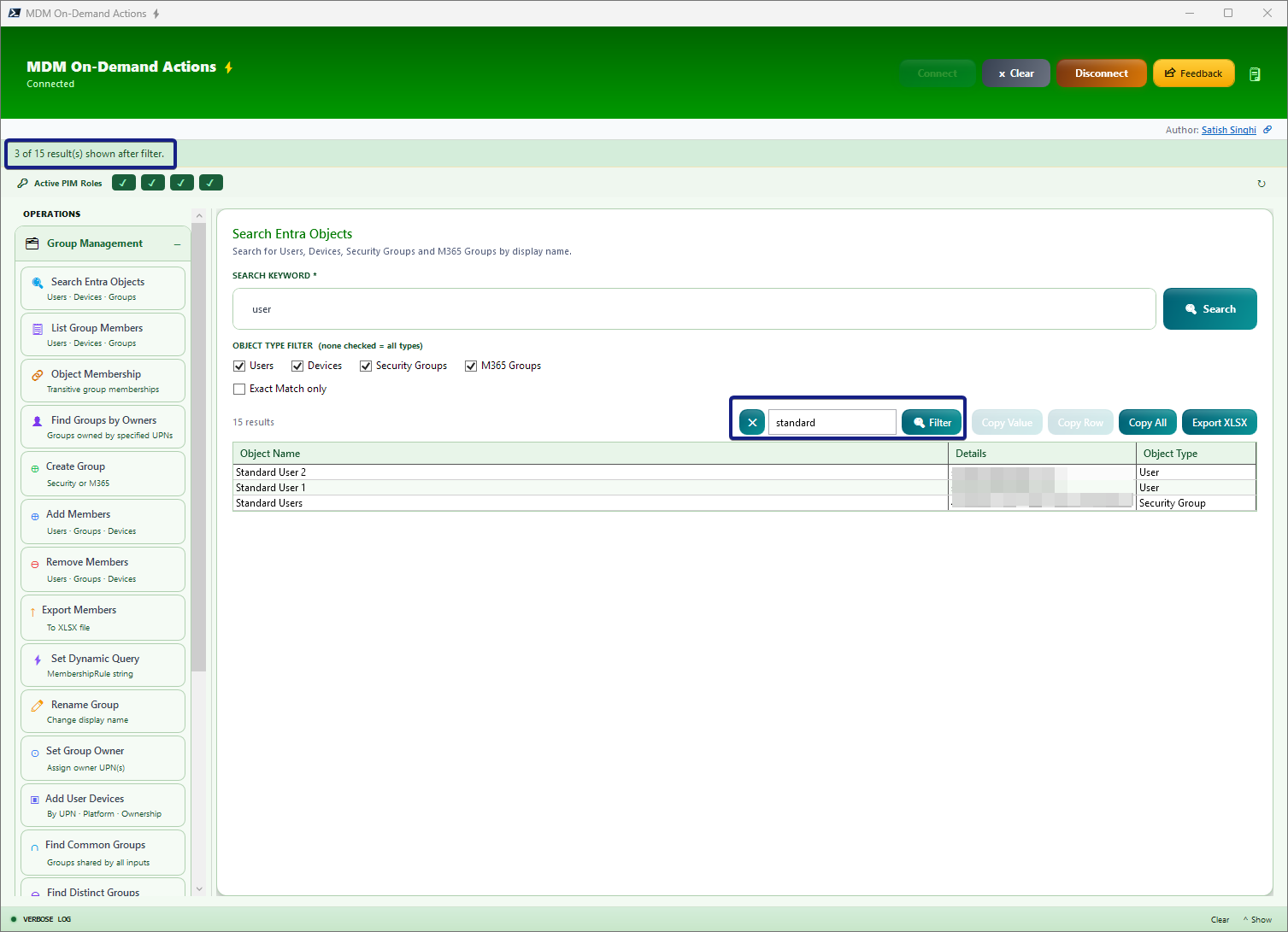
Keyword Filter
Every table output has a single filter across all columns. Type any keyword to instantly filter results across all columns in real-time.
Verbose Logging
Real-time verbose logging of every operation. Logs stored locally for audit trails and troubleshooting.
Additional Productivity Controls
- Clear Inputs — Clear the page and start fresh with a single click
- Stop Operation — Cancel ongoing operations at any time without waiting for completion
- Feedback — Built-in feedback mechanism to report issues or suggest improvements
Prerequisites
System Requirements
Windows 11 with WPF
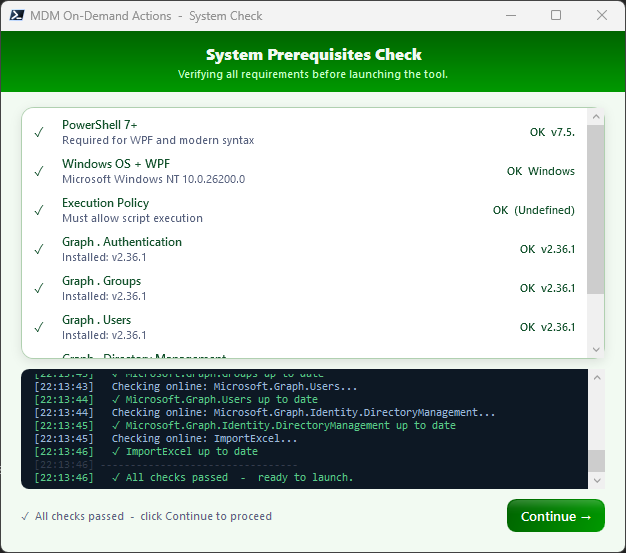
Windows Presentation Foundation is built-in to Windows 11. No additional installation needed.
PowerShell 7
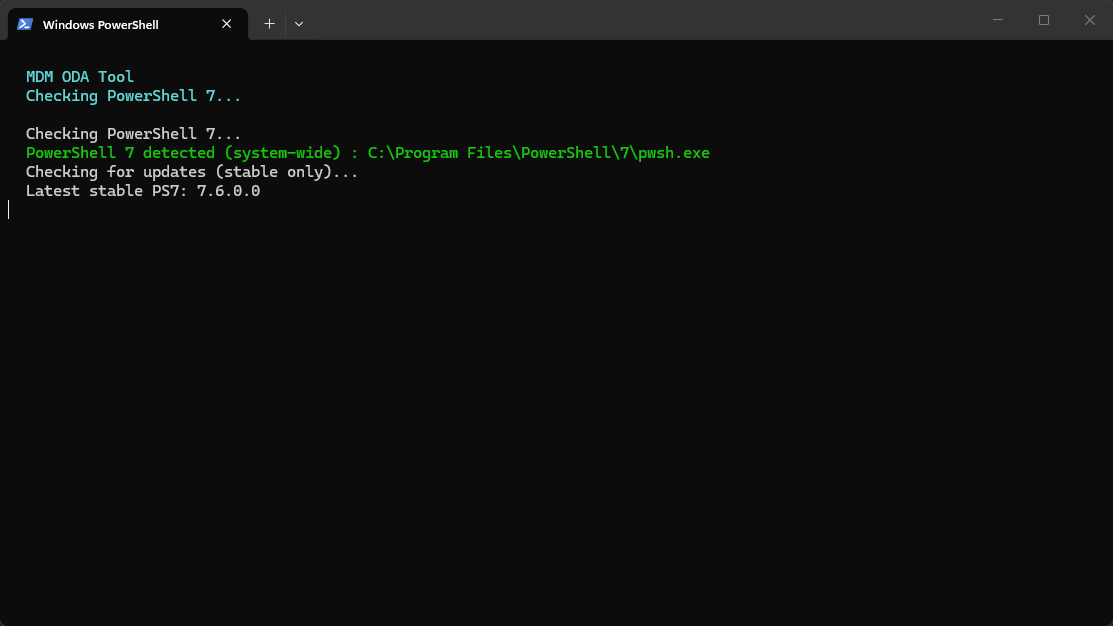
Handled automatically by the script. Auto-installs via winget if missing. Requires internet connectivity to PowerShell Gallery and GitHub winget repository.
Internet Connectivity
Required for downloading PowerShell modules from PowerShell Gallery and for connecting to Microsoft Graph API endpoints.
No Admin Rights Required
MDM-ODA runs in user context. Admin elevation is not necessary for standard operations.
Code Signing & WDAC
If Windows Defender Application Control (WDAC) or script execution policies are enforced, code signing adjustments may be needed. Consult with your security team if required.
Prerequisite Handling
MDM-ODA includes automatic prerequisite detection and installation. The tool proactively checks for missing components and handles setup without manual intervention.
The orchestrator can be launched from a standard PowerShell 5.1 host. On startup, it detects the running PowerShell version and, if PowerShell 7 is not already active, automatically locates or installs PowerShell 7 via winget — then re-launches itself in the PS7 runtime. This ensures the full WPF interface and Microsoft Graph SDK modules load correctly without any manual intervention from the user.
Permissions
Delegated App Permissions
MDM-ODA requires the following Microsoft Graph delegated permissions to function:
| Permission | Purpose |
|---|---|
User.Read |
Sign-in and read current user profile (/me for PIM checks) |
User.Read.All |
Resolve UPN inputs and read user properties across all functions |
Group.Read.All |
Read group properties, list groups, read types and membership rules |
GroupMember.Read.All |
List group members and query member counts |
Directory.Read.All |
TransitiveMemberOf for PIM role detection and object membership |
Device.Read.All |
Resolve devices, read properties, query registered users |
DeviceManagementConfiguration.Read.All |
Read Intune config profiles and policies for assignment lookups |
DeviceManagementManagedDevices.Read.All |
Query managed devices by Azure AD device ID or serial number |
DeviceManagementApps.Read.All |
Read Intune managed and discovered apps, app assignments, and app configurations |
BitlockerKey.ReadBasic.All |
Enumerate BitLocker recovery key metadata for the Missing BitLocker Keys audit — key material is never read |
DeviceManagementServiceConfig.Read.All |
Read Autopilot device identities for Get Autopilot Status and Device Info Autopilot columns (covered by the ReadWrite variant if present) |
offline_access |
Maintain refresh token for persistent session |
Feature-Based Write Permissions
Only needed if you use the corresponding operation — keeping with the least-privilege model, leave these out until a workflow demands them:
| Permission | Required by |
|---|---|
DeviceManagementConfiguration.ReadWrite.All |
Policy Import (create policies/scripts), Policy Cleanup (delete policies) |
DeviceManagementServiceConfig.ReadWrite.All |
Policy Import of classic Autopilot Deployment Profiles and Enrollment Status Pages; Bulk Autopilot Registration (hardware hash import) |
DeviceManagementManagedDevices.PrivilegedOperations.All |
Run Remediation (on-demand remediation) and Bulk Sync (device sync remote actions) |
Key Caveat: The documented least-privileged permissions for group write operations are Group.ReadWrite.All and GroupMember.ReadWrite.All. However, based on testing, group owners with scoped Intune RBAC roles can perform all write operations (create groups, add/remove members, set owners, rename, update dynamic rules) with only the read-only scopes above. This is undocumented behaviour — it could change if Microsoft tightens enforcement. If you want to guarantee write access regardless of ownership, add Group.ReadWrite.All and GroupMember.ReadWrite.All. If you prefer least-privilege and your users are always owners of the groups they manage, the read-only set above is sufficient today.
User Permissions
Entra built-in roles or custom RBAC roles determine which specific resources a user can access. The app permissions set the API surface ceiling, but Intune RBAC and group ownership scope the actual access. Exact role requirements vary by operation — Group Owners is sufficient for most group management operations. For comprehensive device and policy insights, users may benefit from Intune Reader or Intune Administrator roles depending on scope.
Web Application Redirect URI
For WAM (Web Account Manager) based authentication, configure the following redirect URI in your Entra app registration:
ms-appx-web://Microsoft.AAD.BrokerPlugin/{Client-ID}Replace {Client-ID} with your actual Application (client) ID from Entra.
Safety, Validation & Auth Design
Preventing Accidental Actions
Every write operation in MDM-ODA is guarded by a multi-step validation pipeline. Before any change is committed to Entra or Intune, the tool enforces preview-before-write — users see exactly what will happen before it happens. Confirmation dialogs with explicit action summaries ensure that bulk operations like adding 50 devices to a group or setting owners on 20 groups cannot fire by a stray click. The Stop button is wired into every background runspace, allowing graceful cancellation mid-operation. Clear Inputs resets the entire page state without side effects. These aren't afterthoughts — they're core design decisions baked into every panel from the ground up. The newer destructive and high-impact operations raise the bar further: Policy Cleanup refuses to delete anything unless a verified backup (including assignment groups and filters) succeeds first, and Run Remediation is hard-scoped to company-owned Windows devices with skipped devices disclosed in the confirmation summary.
Delegated Auth Flow — Least Privilege by Design
MDM-ODA uses the OAuth 2.0 delegated flow exclusively — the app never holds standalone permissions. Every API call executes in the context of the signed-in user, meaning the effective permission is always the intersection of what the app registration allows and what the user's Entra/Intune roles permit. This is a deliberate design choice that prevents privilege escalation: even if the app registration has broad scopes, a user without the right RBAC role cannot perform actions beyond their assignment.
The recommended configuration uses read-only API scopes for everyday operations — browsing groups, querying devices, viewing policies. Write permissions are only needed when the user actively performs create, update, or delete operations, and even then, group ownership often provides sufficient access without requiring write-level app permissions. This encourages organisations to start with the minimum surface area and only expand when a specific workflow demands it.
via WAM / SSO
Read-only by default
Intersected permissions
Least privilege enforced
Validation Workflow for Write Actions
All write actions — group creation, member additions, owner assignments, dynamic query updates, renames, and removals — follow a strict validation-before-commit workflow. The tool validates input format, checks for duplicates, resolves object identities against Graph, and presents a structured preview of pending changes. Only after the user explicitly confirms does the operation execute. Failures during execution are caught per-item with detailed error reporting, so a single bad entry never derails an entire bulk operation.
Dynamic Query Safeguard: Setting a dynamic membership query on an existing group is blocked if the group already has statically assigned members or if the group is already configured as Dynamic. This prevents accidental member loss from a query conversion and avoids conflicting membership rules — a guardrail that the Entra portal itself does not enforce as explicitly.
Getting Started
Quick Start
- Clone the repository:
git clone https://github.com/satishsinghi-gh/mdm-oda.git - Configure credentials (optional): Pre-populate your Tenant ID and Client ID in the script from your Entra app registration — or enter them manually at launch
- Launch the downloaded script: No parameters, no admin rights needed — prerequisites are handled automatically
- Connect and go: Authenticate with your Entra credentials and start using the tool
Architecture & Flow
Under the hood, MDM-ODA is a single self-contained PowerShell 7 script with an embedded WPF (XAML) interface. It uses background STA runspaces with ConcurrentQueues and a DispatcherTimer to keep the UI responsive during Graph API calls. Authentication leverages WAM (Web Account Manager) for seamless SSO with your Entra credentials. The Microsoft Graph PowerShell SDK handles all API interactions — from reading group memberships to creating resources — while the WPF DataGrid provides live, sortable, filterable table output with cell-level copy and Excel export. Prerequisite detection and installation (PowerShell 7, Graph modules) is fully automated on first run.
What's Included
- Fully functional PowerShell 7 script with embedded WPF UI
- Automatic prerequisite detection and installation
- Microsoft Graph SDK integration for reliable API calls
- Real-time verbose logging to local file system
- Validation workflows for write operations
- Export to Excel (XLSX) capability
- Complete source code and documentation
Changelog — V0.81
New Features
Bulk Autopilot Registration
- Bulk-register devices to Windows Autopilot from hardware hash CSVs — from this PC (multi-select) or an Azure Blob container via SAS URL
- Group Tag box fills blanks; CSV Group Tag wins where present
- Staged workflow with full validation preview (blank serials, invalid hashes, duplicate serials flagged) and explicit confirmation
- Per-device results with real HTTP status; one Autopilot sync triggered after posting; import-only — existing registrations never modified
Get Autopilot Status
- Query Autopilot registration status by UPN / Entra Device ID / Serial Number / Group
- Queries Autopilot directly — devices registered but not yet enrolled in Intune are still reported
- Output: Input, Serial Number, Device Name, Autopilot Registered (Yes/No), Group Tag, Intune Enrolled (Yes/No — verified independently against Intune)
Improvements
- Get Device Info: Autopilot Group Tag and Profile Status now match by serial number first (Entra Device ID fallback) — significantly more reliable reporting
Previous Release — V0.8
New Features
Policy Export & Policy Import
- Export policies + full underlying settings to portable JSON across 7 policy families — Device Configurations, Settings Catalog & Endpoint Security, Administrative Templates, PowerShell Scripts, Detection/Remediation Scripts, Autopilot Deployment Profiles, Enrollment Status Pages
- Local folder always; optional Azure Blob container upload/import via SAS URL
- Import preview with planned changes; policies created as NEW objects with an "(Imported)" suffix — existing policies never touched, assignments never imported
- Content-based duplicate detection (settings hash, not name) with Proceed / Skip Duplicates workflow
- Custom/ingested ADMX administrative templates: ADMX+ADML bundled on export, automatically ingested and definition-remapped on import
- Cross-tenant dependency detection with actionable Skipped reasons (reusable settings groups, missing custom ADMX)
- Multi-keyword comma-separated filtering honored across Local and Blob operations
Duplicate Policy Review
- Content-based duplicate detection across all policy types — finds policies whose settings are identical even when names differ
- Output includes Assignment Groups and Last Modified for consolidation decisions
Policy Cleanup
- Backup-and-delete workflow: Resolve → Preview → Explicit Confirm → Delete
- Backup to local folder or Azure Blob is mandatory and captures settings + assignment groups + filters per policy; delete does not proceed if any backup fails
Run Remediation & Bulk Sync
- On-demand detection/remediation script execution against listed devices — console-parity remote action, results in seconds
- Script dropdown with type-ahead keyword filter; inputs: UPN / Device Name / Entra Device ID / Intune Device ID / Serial Number / Groups
- Safeguard: Run Remediation targets corporate-owned Windows devices only — everything else auto-skipped and disclosed in the confirmation summary
- Bulk Sync: Intune device sync across all platforms and ownership types with platform filter and validation workflow
Missing BitLocker Keys
- Audit Windows devices missing an OS drive BitLocker recovery key in Entra
- "Key older than N days" mode (0–60) for escrow-freshness auditing
- Ownership, exclusion, and Intune enrollment filters; full Get Device Info column set
- Reads key metadata only — never retrieves recovery key material
Improvements
- Get Device Info: tenant-wide device pre-fetch eliminates per-device Graph round-trips for large queries
- Verbose logging: buffered writer with quiet mode for high-volume operations
- Real HTTP status capture and failure diagnostics dumps for import troubleshooting
- Graceful Stop across all long-running operations
Previous Release — V0.7
- Get App Info — Discovered/Managed apps, assignment details with filters and filter modes, Platform/Ownership/Keyword filters, Device/User/Group inputs
- Search Entra Objects — bulk multi-type input with deduplication; Get Manager checkbox
- Find Groups by Owners — empty input returns all groups without an owner
- Get Policy Info (renamed from "Get Policy Assignments") — Compliance Policy assignments, classic Autopilot Profile report, Autopilot Device Preparation report, ESP report with priority
- Improvements — horizontal scroll bars and resizable columns on all output tables
Roadmap
MDM-ODA is actively evolving. Here's what's planned for upcoming releases:
Comprehensive Update Insights
Deep visibility into the Windows Update landscape across your fleet:
- Quality Updates — Patch compliance, pending installs, failure tracking
- Feature Updates — Rollout status, eligibility, readiness signals
- Driver Updates — Driver deployment state and version coverage
Defender Integration
Bringing Microsoft Defender for Endpoint data into the same operational view:
- Timeline Events — Device activity timelines for incident investigation
- Advanced Hunting — KQL query integration for threat hunting
- Vulnerability State — CVE exposure and remediation tracking
- Software Inventory — Discovered software with risk scoring
Advanced Policy Management Actions
Extended policy operations beyond read-only insights — targeted modifications, cloning, and bulk assignment management.
Reusable Settings Dependencies
Import support for reusable settings groups referenced by Settings Catalog policies — completing cross-tenant migration coverage for policies with shared dependencies.
Advanced Dynamic Group Query Builder
A visual query builder for constructing complex dynamic membership rules with syntax validation, preview, and testing before applying to groups.
Log Analytics Integration
Query extended Hardware Inventory and Audit data from Log Analytics that is not available natively through Microsoft Graph — bridging the gap between Intune's built-in reporting and the richer telemetry available in your Log Analytics workspace.